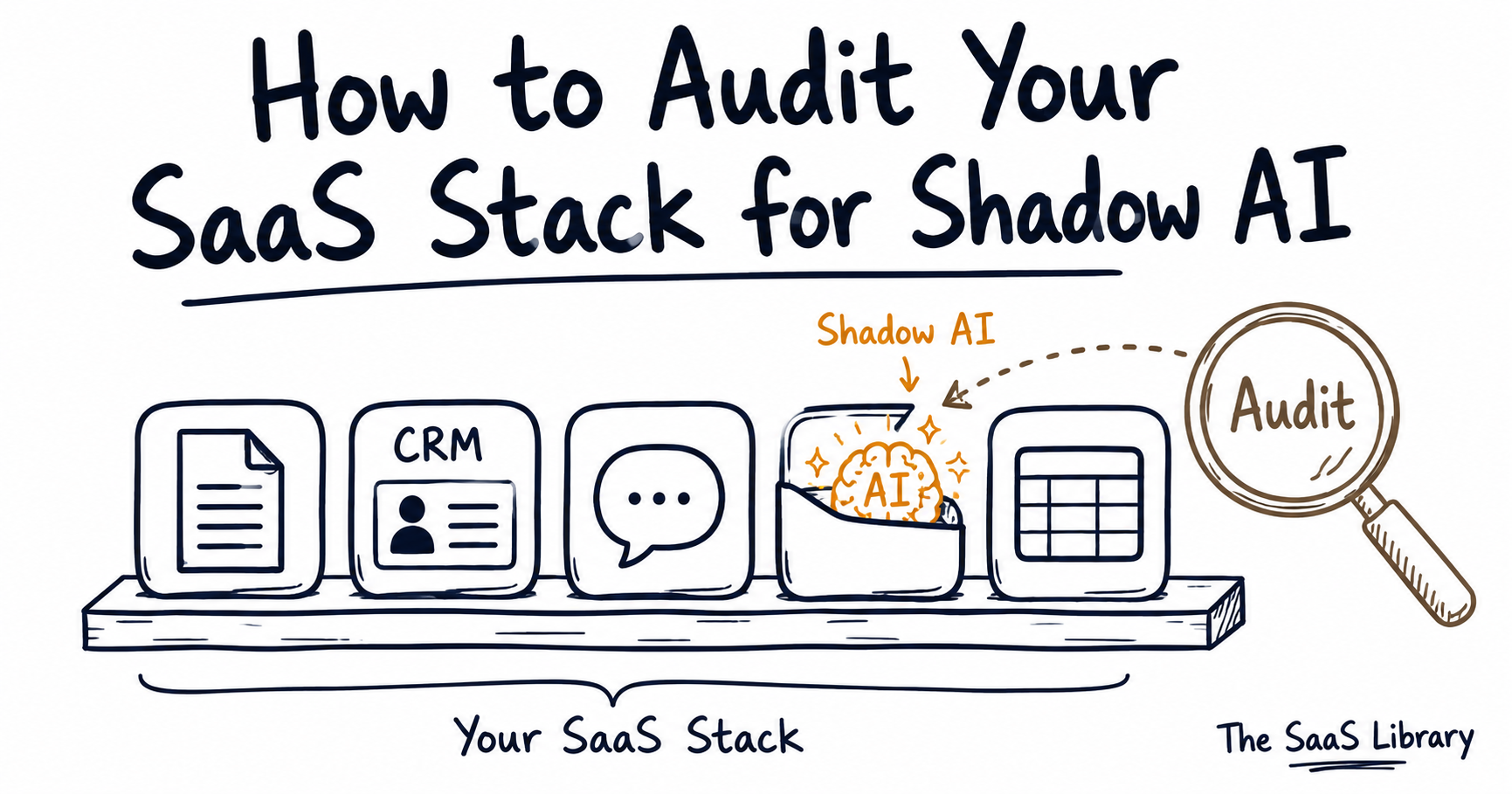
Shadow AI added $670,000 to the average cost of a data breach in 2025 — and most security teams don’t know which AI tools are already inside the SaaS stack they already approved.
Shadow AI is the use of AI tools, features, or models inside a company’s systems without IT or security approval. Nudge Security and IBM both define it this way: employees pasting data into public chatbots, AI features enabled inside approved SaaS apps, and browser extensions or agents accessing company data through inherited permissions — all outside formal oversight.
Why Does Shadow AI Hide Inside SaaS Tools You Already Approved?
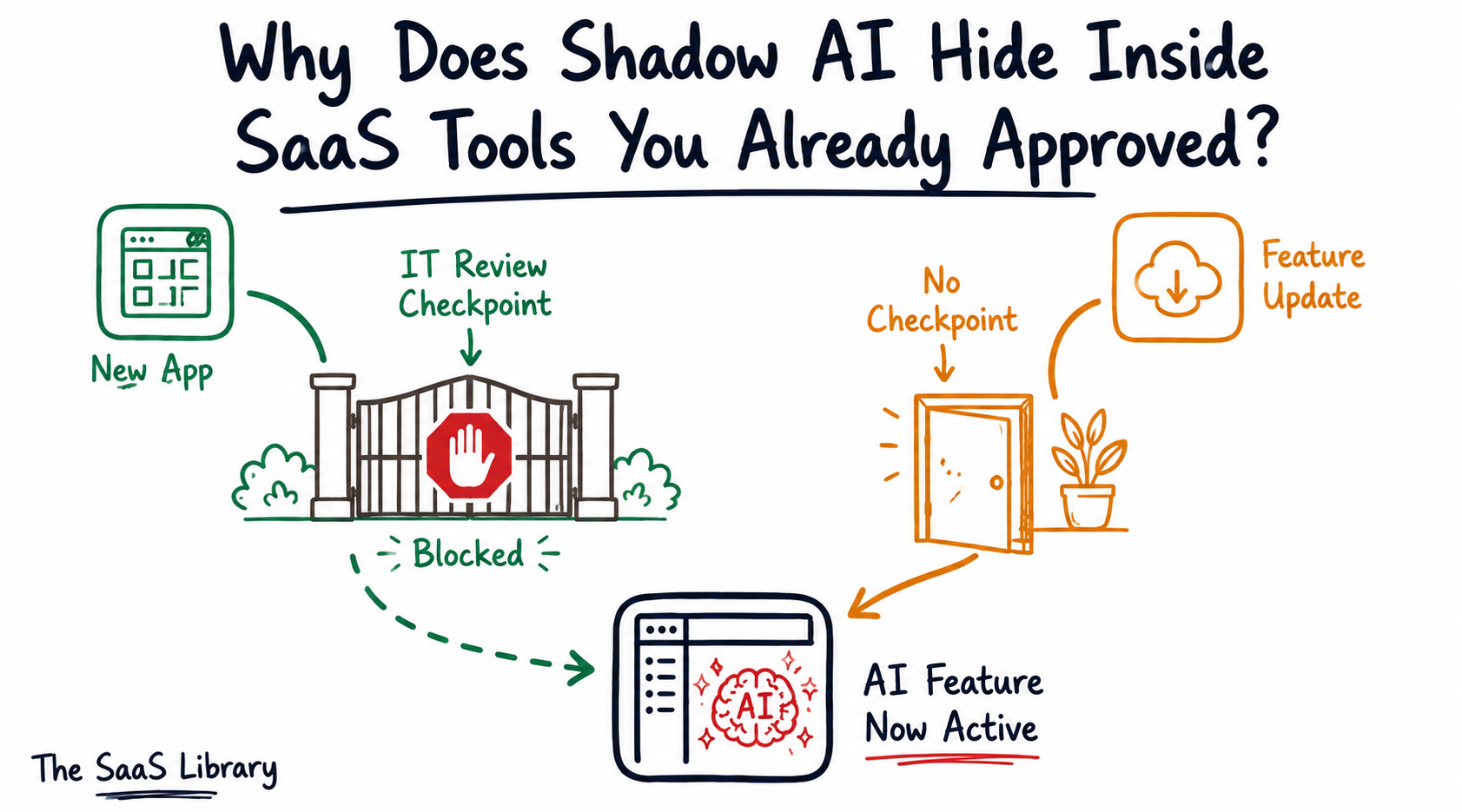
Shadow AI hides inside SaaS tools you already approved because it arrives as a feature update, not a new purchase. By 2026, JumpCloud projects that 70% of employee interactions with AI will occur through features embedded in existing, sanctioned SaaS applications — not standalone tools IT would recognize and block.
This is what makes shadow AI structurally different from shadow IT. Shadow IT meant an employee signed up for a new, unapproved app. Shadow AI means an approved app — Notion, Canva, Slack, HubSpot — ships an AI feature in a routine update, and a single user enables it from a settings menu, with no procurement step, no security review, and no new line item for IT to notice.
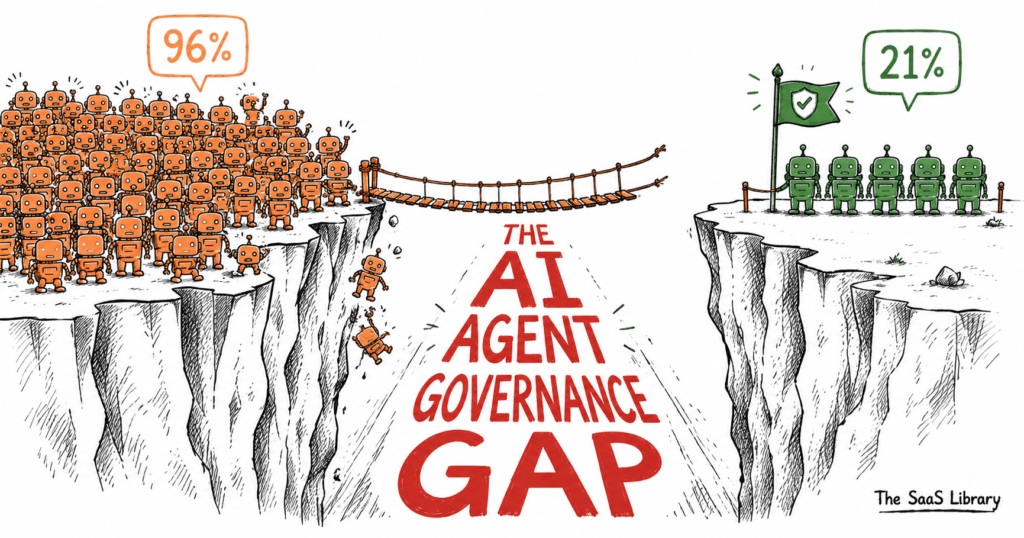
Already running AI agents in production? The inventory step below gets more urgent once agents are involved.
Read why 96% of companies can’t control their AI agents →This is why a shadow AI audit can’t be a one-time app-discovery scan. It has to check what’s running inside the tools you already trust.
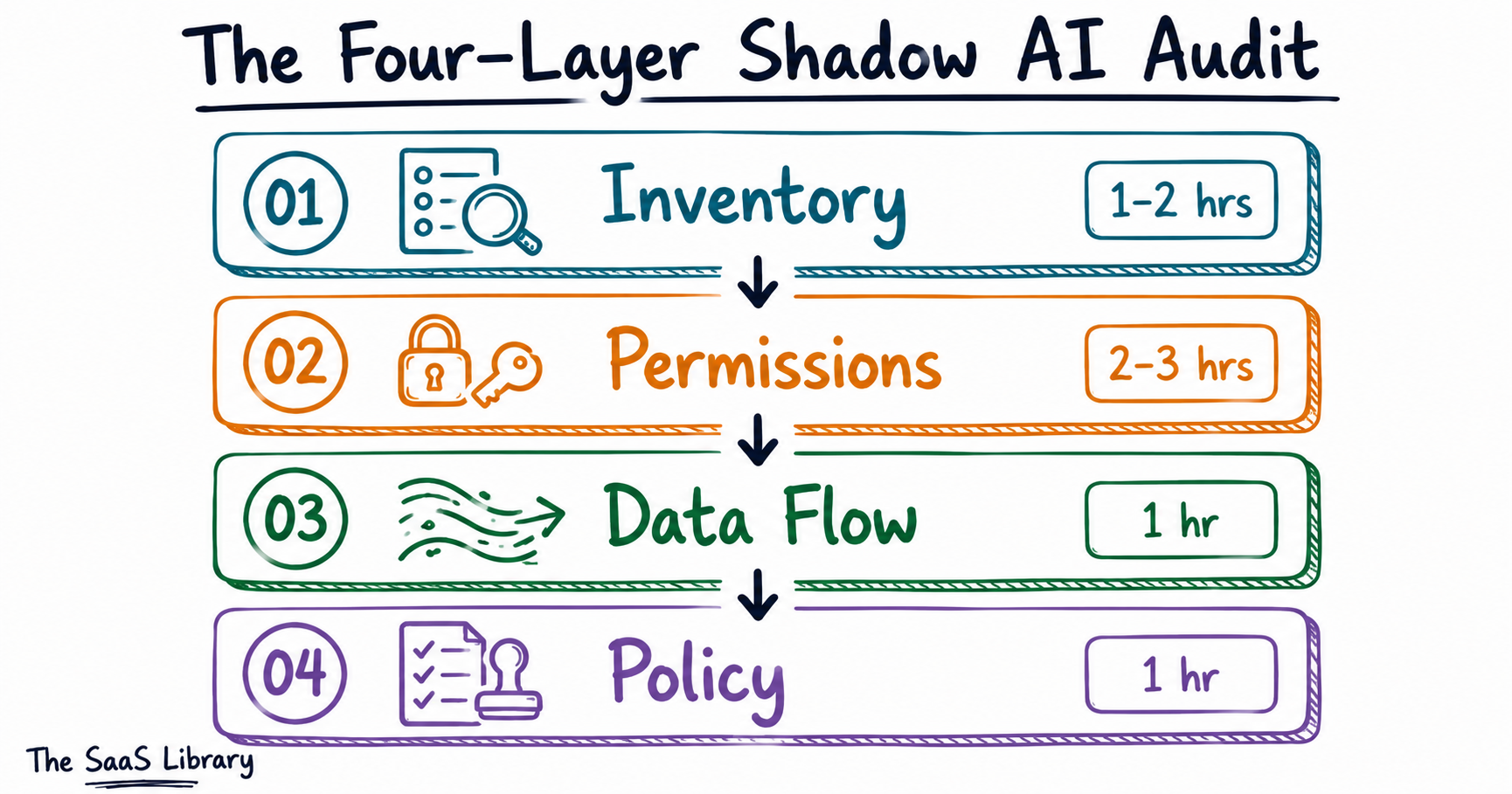
The Four-Layer Shadow AI Audit
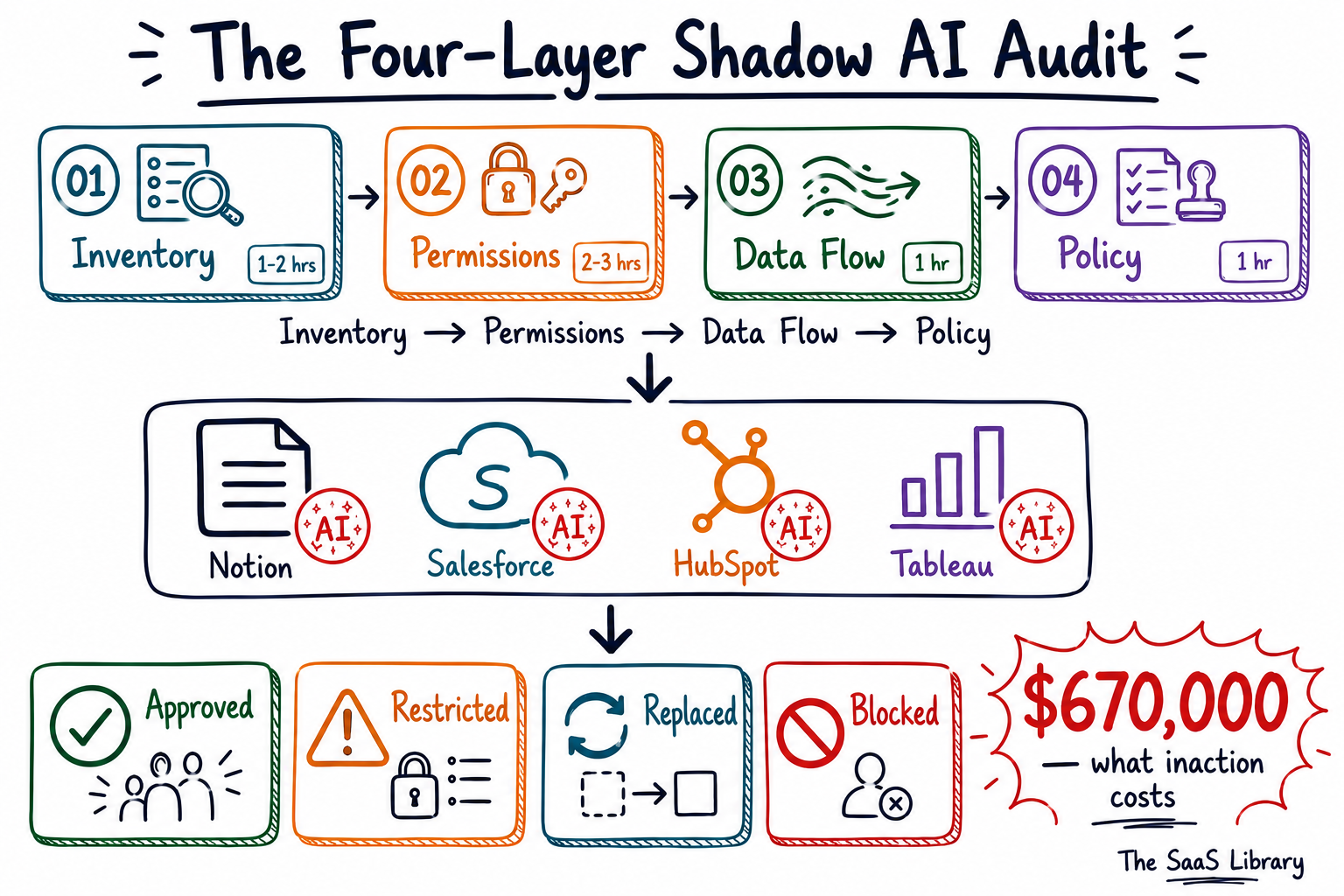
A shadow AI audit fails for one of two reasons: it never starts, because it sounds like a project that needs a security team and a budget. Or it never finishes, because it tries to catalog every possible risk before taking any action. The Four-Layer Shadow AI Audit avoids both traps — it’s sequential, it’s scoped to one day, and each layer produces a decision, not just a list.
| Layer | Goal | Time |
|---|---|---|
| 01 — Inventory | Find every AI-touching tool | 1–2 hrs |
| 02 — Permissions | Review what each tool can access | 2–3 hrs |
| 03 — Data Flow | Track what’s actually moving, including AI agents | 1 hr |
| 04 — Policy | Sort into Approved, Restricted, Replaced, Blocked | 1 hr |
Layer 1 — Inventory
You can’t audit what you haven’t found. Start by pulling every AI-touching connection from the admin consoles you already have access to — no new software required.
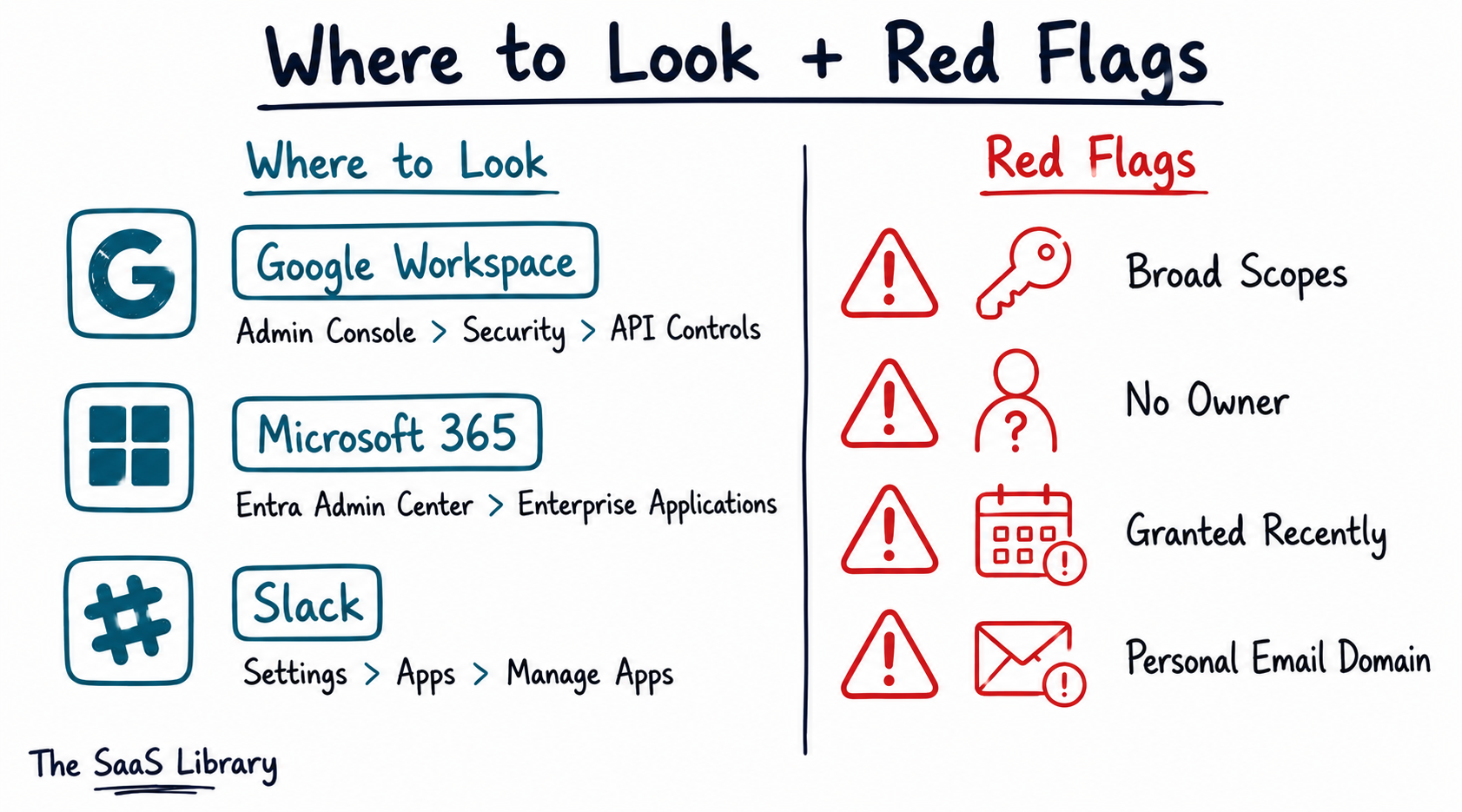
- Google Workspace: Admin console → Security → API Controls → App Access Control. Lists every third-party app with OAuth access to company data.
- Microsoft 365: Microsoft Entra admin center → Enterprise Applications → All Applications. Filter by “User consent” to surface apps employees connected themselves.
- Slack: Workspace Settings → Apps → Manage Apps. Lists every integration with workspace access.
Layer 2 — Permissions
Inventory tells you what exists. Permissions tell you what it can actually touch — and this is where most of the real risk lives. For every tool on your Layer 1 list, check the OAuth scopes it was granted.
| Red Flag | Why It Matters |
|---|---|
| Broad scopes (full Gmail/Drive read-write) for a narrow task | Tool can access far more than its function requires |
| No identifiable business owner | No one can confirm why it’s connected or what it’s used for |
| Granted in the last 90 days with high-level access | Recent, unreviewed, and likely unapproved |
| Personal email domains linked to work accounts | Data may be flowing outside company-controlled infrastructure |
Layer 3 — Data Flow
Permissions show what a tool can access. Data flow shows what it actually does. This layer matters more in 2026 than it did even a year ago, because shadow AI no longer just means an employee pasting text into a chatbot.
Orca Security’s research found that shadow AI increasingly runs through IDE extensions, AI agents, and Model Context Protocol (MCP) servers that inherit the permissions of the service accounts they’re attached to — bypassing the web gateways and DLP tools that monitor traditional traffic.
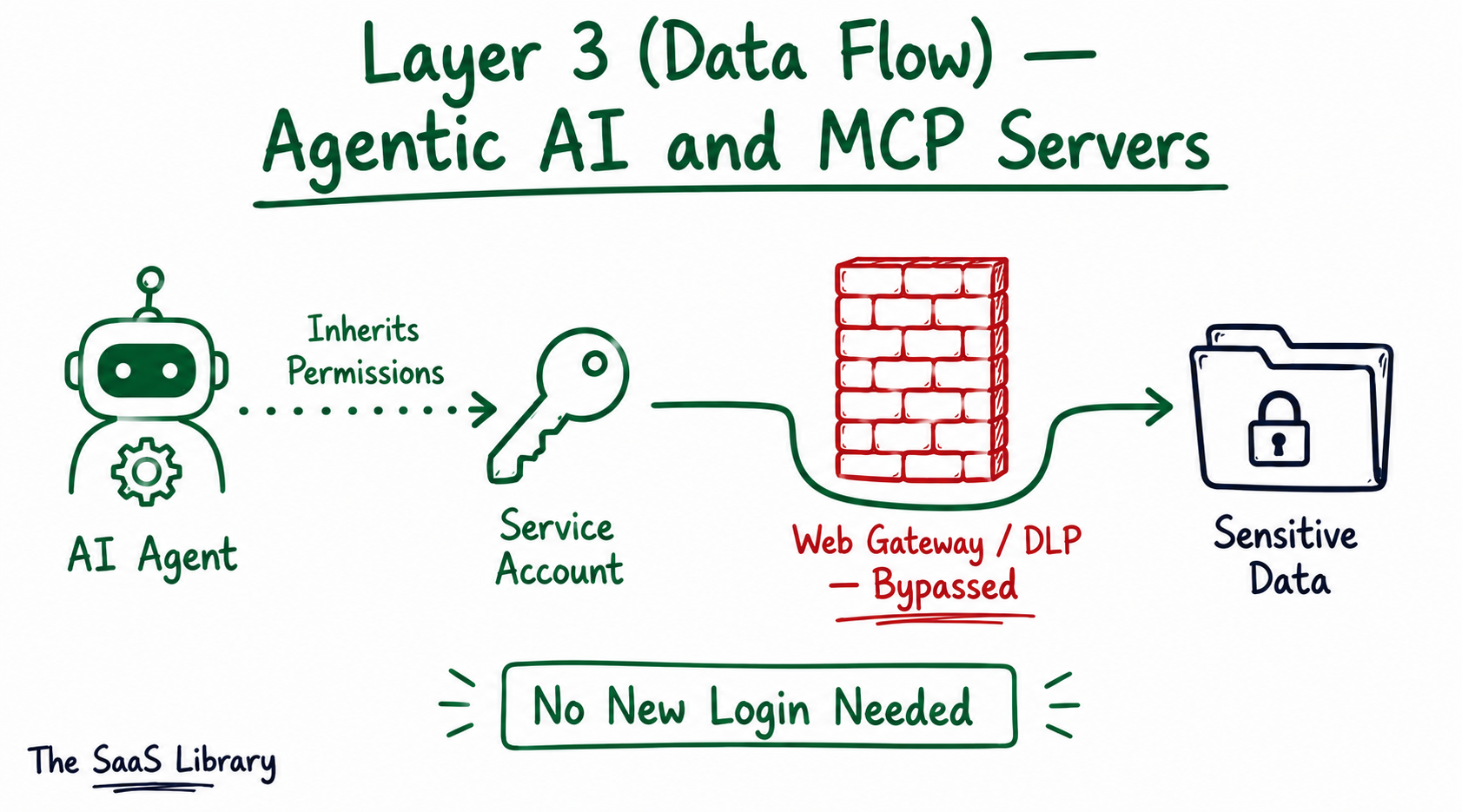
For this layer, ask one question per tool: does this connection touch customer PII, financial data, source code, or contracts? See our breakdown of real AI agent use cases in SaaS for what legitimate agent activity looks like by comparison.
Layer 4 — Policy
This is where most audits stop short — they produce a list of risky tools and nothing else. The Policy layer turns that list into decisions. Sort every tool from Layers 1–3 into one of four outcomes:
- Approved — acceptable with current controls in place; document and move on
- Restricted — usable for low-risk tasks only, never with sensitive or regulated data
- Replaced — the use case is valid, but the tool needs to be swapped for an approved alternative
- Blocked — too much risk, no workable controls, removed immediately
This sorting step also closes your compliance gap directly, per Netwrix’s mapping of shadow AI to regulatory clauses. Check any tool processing regulated data against the specific clauses your industry answers to:
- PCI DSS Requirement 10 — mandates logging of access to cardholder data environments
- HIPAA audit controls (45 CFR §164.312(b)) — requires tracking PHI access
- SOC 2 CC7.2 — requires monitoring system components for anomalies
- GDPR Article 28 — requires a documented data processing agreement with any processor handling personal data
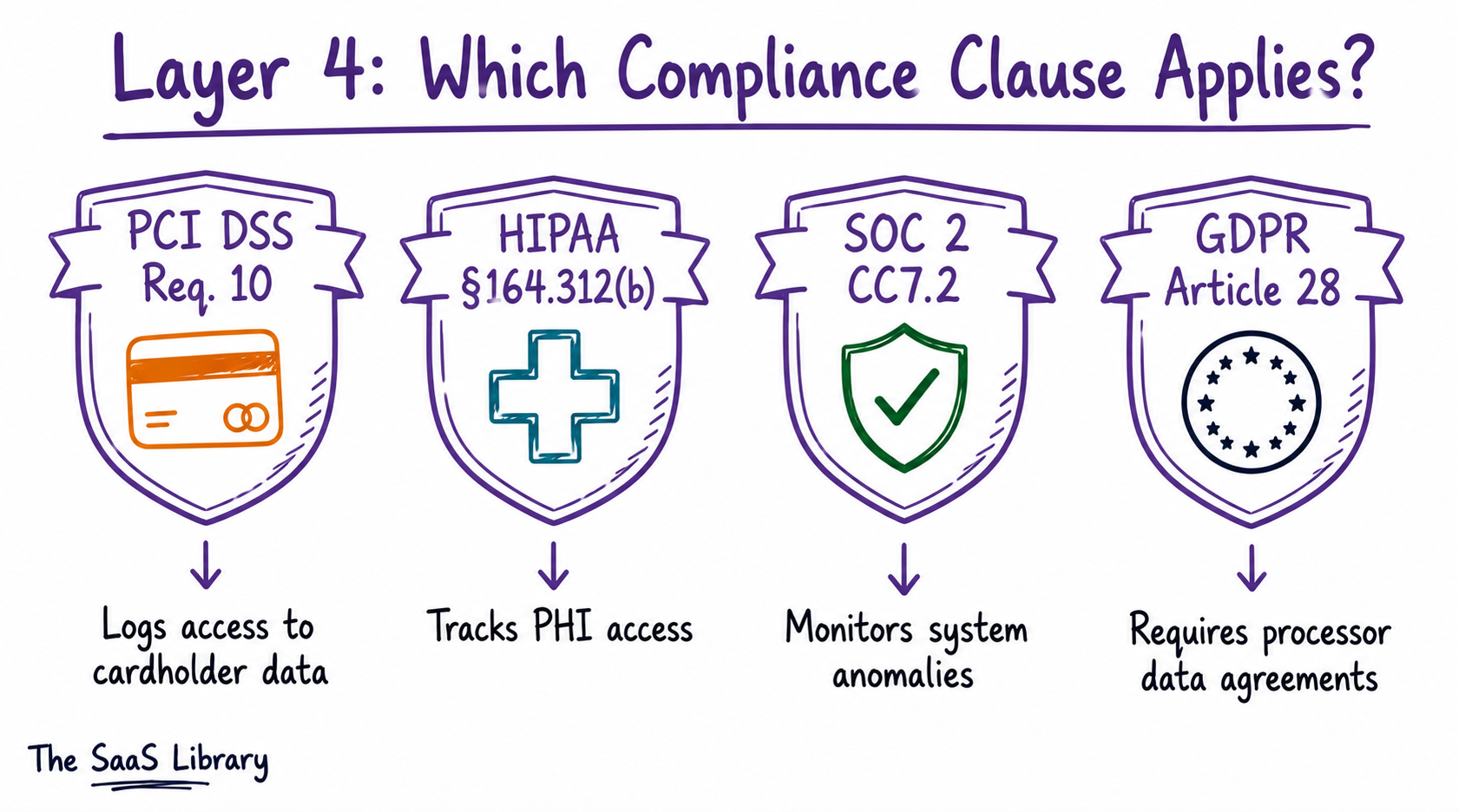
A tool that fails its compliance check moves straight to Blocked, no matter how useful it is. For the policy itself, our AI governance readiness breakdown covers what a complete policy document needs beyond this audit.
The Four-Layer Audit only works if Layer 4 actually produces decisions — a list of risky tools with no action attached is the most common reason shadow AI audits stall before they help anyone.
Which Common SaaS Tools Have Hidden AI Features?
So far: shadow AI hides inside tools you already approved, and the Four-Layer Audit above is how you find it. Next: which everyday SaaS tools are most likely hiding it, and what it actually costs if you don’t look.
Notion, Salesforce, HubSpot, and Tableau have hidden AI features that most teams never explicitly approved. Vendors are adding these capabilities by default, not because anyone requested them — and your own Layer 1 inventory likely contains more.
| Tool | AI Feature | What It Can Access |
|---|---|---|
| Notion | Notion AI — summarization, autofill, flowchart generation, and an AI agent that can run workflows across documents | Document content, meeting notes, connected databases |
| Salesforce | Einstein and Agentforce — predictive insights, automated outreach, autonomous agents that manage customer conversations | CRM records, customer data, sales pipeline, connected channels |
| HubSpot | AI-powered lead scoring, content assistants, and chatbots for first-line customer support | CRM contact data, email engagement history, conversation logs |
| Tableau | Tableau Pulse and Ask Data — natural-language querying of business data without SQL | Connected databases, spreadsheets, cloud data sources |
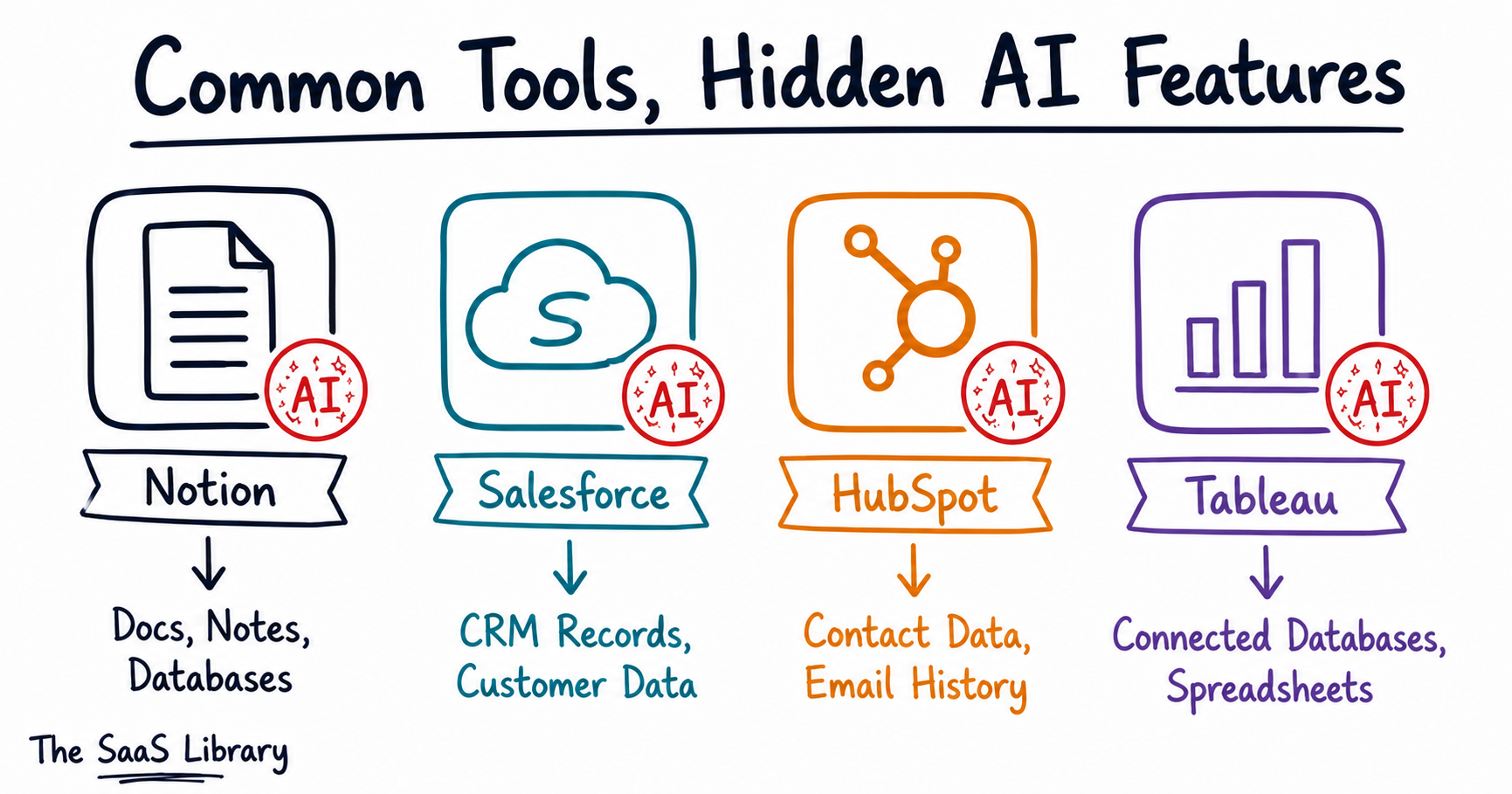
A pattern is worth noting here: three of the four tools above route data through the same parent company’s AI layer (Salesforce, Tableau) or function as the connective tissue between CRM and communication tools (HubSpot — see our full HubSpot vs Salesforce comparison for how they differ). Auditing one tool in isolation can miss the fact that its AI features are pulling from — or feeding into — several others on your list.
What Does a Shadow AI Breach Actually Cost (If You Don’t Audit)?
A shadow AI breach costs $670,000 more than a standard data breach, according to IBM’s 2025 Cost of a Data Breach Report. That premium pushes the average shadow-AI-linked incident to $4.63 million, compared to $3.96 million for breaches without unauthorized AI involved, per Kiteworks’ analysis of the same data.
Suja Viswesan, VP of Security and Runtime Products at IBM, said shadow AI “added an extra USD 670,000 to the global average breach cost.”
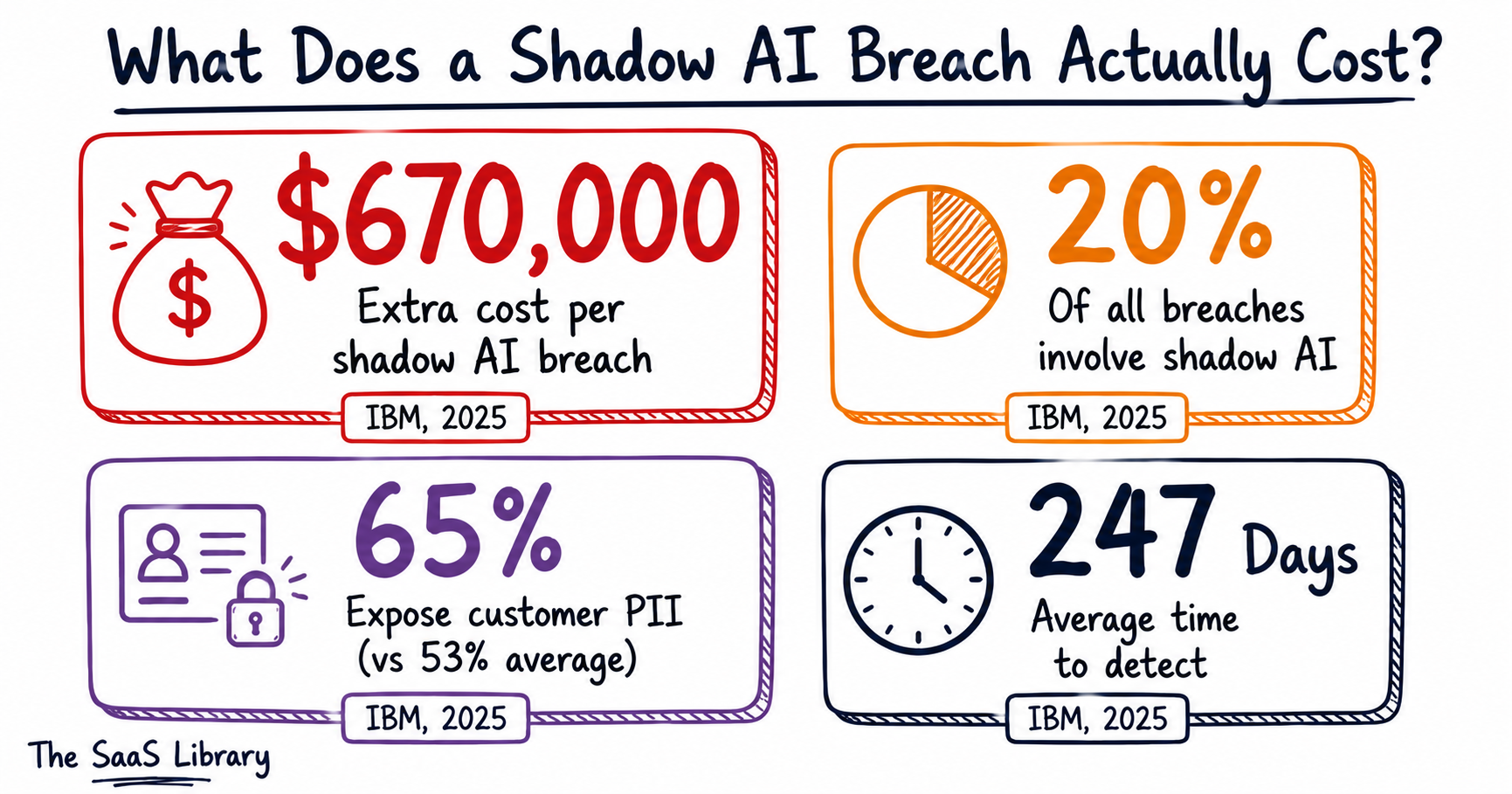
The same report found that shadow AI was a factor in one in five breaches studied — 20% of all incidents, drawn from organizations across 16 countries and 17 industries. These breaches also expose more sensitive data than average: 65% of shadow AI incidents involved customer PII, compared to 53% across all breaches generally.
None of this requires a sophisticated attack. IBM’s data shows that 97% of organizations with an AI-related breach had no real access controls around the tool involved — meaning the exposure wasn’t a failure of defense, it was the absence of any defense at all. For a sense of what proactive agent governance costs by comparison, see our breakdown of what agentic AI actually costs when budgeted properly.
The Shadow AI Audit Checklist
Everything above, condensed into a single run-through. Each item maps to a layer from the Four-Layer Shadow AI Audit.
- ☐ Pull every connected app from Google Workspace, Microsoft 365, and Slack admin consoles
- ☐ Cross-reference against expense reports and credit card statements for unlisted tools
- ☐ Check OAuth scopes for every tool — flag broad permissions, no owner, recent grants, or personal email domains
- ☐ Identify which tools touch customer PII, financial data, source code, or contracts
- ☐ Check for AI agents or MCP servers with inherited service-account permissions
- ☐ Match every regulated-data tool to the specific compliance clause it needs to satisfy
- ☐ Sort every tool into Approved, Restricted, Replaced, or Blocked
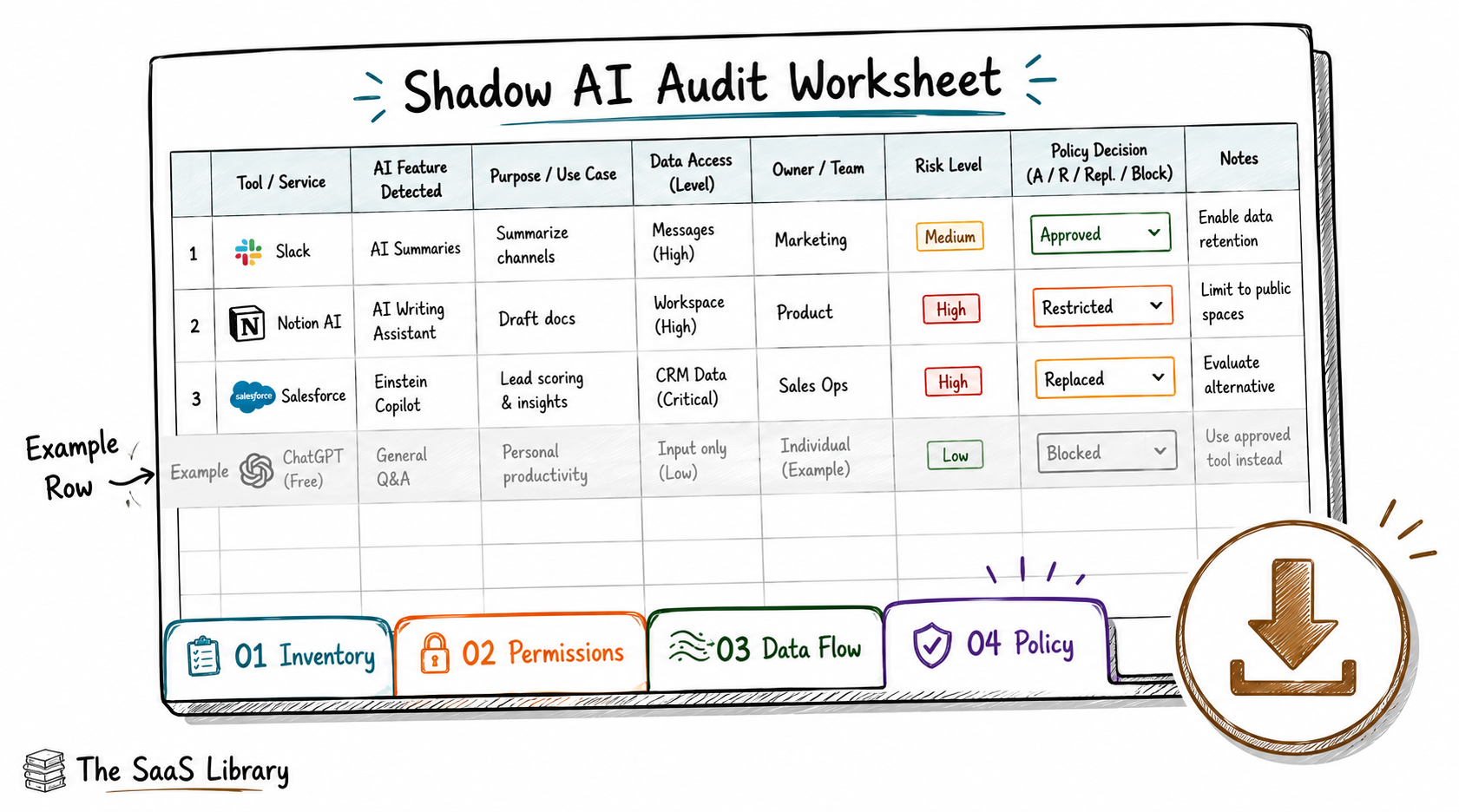
Four tabs — Inventory, Permissions, Data Flow, Policy — with a filled-in example on every one, so you’re never staring at a blank row.
Download the Audit Worksheet (.xlsx) →Frequently Asked Questions
What is a shadow AI audit?
A shadow AI audit is the process of inventorying every AI-enabled tool connected to a company’s SaaS stack, reviewing what data and permissions each one has, and deciding which tools to approve, restrict, replace, or block. It identifies AI usage that exists outside formal IT or security oversight.
How long does a shadow AI audit take?
A shadow AI audit takes approximately 5–7 hours when run as a single-day exercise using the Four-Layer model: 1–2 hours for inventory, 2–3 hours for permissions review, 1 hour for data flow analysis, and 1 hour for policy decisions. Larger organizations with more SaaS tools may need additional time for the inventory layer.
What is the difference between shadow IT and shadow AI?
Shadow IT is any unapproved technology an employee adopts without IT review — a new app, a new subscription. Shadow AI is more specific: it’s AI capability operating without oversight, which often hides inside tools that were already approved, since vendors add AI features through routine updates rather than new purchases.
How do I find shadow AI in my company without buying software?
You find shadow AI without buying software by checking the admin consoles you already have access to — Google Workspace’s API Controls, Microsoft Entra’s Enterprise Applications list, and Slack’s App Management page all show third-party AI tools with existing access, at no additional cost.
What is the first step in auditing my SaaS stack for shadow AI?
The first step in auditing your SaaS stack for shadow AI is building an inventory: pull every AI-touching connection from your admin consoles and cross-reference it against expense reports and credit card statements, since many AI tools are paid for as small recurring charges that never go through formal procurement.
How do I check OAuth permissions for AI tools in Google Workspace?
You check OAuth permissions for AI tools in Google Workspace through Admin console → Security → API Controls → App Access Control, which lists every third-party app with API access to company data, including the specific scopes each one was granted.
How often should I audit my SaaS stack for shadow AI?
You should audit your SaaS stack for shadow AI quarterly at minimum, and immediately after onboarding any new SaaS tool. AI features are added to existing software through routine vendor updates, so a one-time audit becomes outdated as soon as the next update ships.
What happens if I find an unapproved AI tool during the audit?
If you find an unapproved AI tool during the audit, sort it into one of four categories: approved (acceptable with current controls), restricted (low-risk use only), replaced (swap for an approved alternative), or blocked (removed immediately due to unmanageable risk).
Do AI agents and MCP servers count as shadow AI?
AI agents and MCP servers count as shadow AI when they operate without security review, particularly because they inherit the permissions of the service accounts they’re attached to. Orca Security’s research found this lets agents bypass traditional web gateways and DLP tools entirely, since they don’t require a new login to access sensitive data.
How much does a shadow AI breach cost?
A shadow AI breach costs $670,000 more than a standard data breach, according to IBM’s 2025 Cost of a Data Breach Report, pushing the average incident to $4.63 million. These breaches also expose customer PII at a higher rate — 65% of cases, compared to 53% across all breaches.
What should an AI usage policy include after the audit?
An AI usage policy should include a list of approved tools, the specific data types each is permitted to process, the compliance requirements it must meet (PCI DSS, HIPAA, SOC 2, or GDPR depending on the data involved), and a clear process for requesting new tool approval.
Is Notion AI or Salesforce Einstein considered shadow AI?
Notion AI and Salesforce Einstein are not shadow AI when used through an officially approved company account with documented oversight. They become shadow AI only if an individual employee enables the feature without IT review, or if the account processing company data isn’t centrally managed.
Conclusion
The Four-Layer Shadow AI Audit turns a vague concern into a documented, defensible position: every AI tool in your stack inventoried, its permissions checked, its data flow understood, and a clear decision attached to it — approved, restricted, replaced, or blocked.
IBM’s data makes the stakes explicit: shadow AI adds $670,000 to the average breach cost, and 97% of affected organizations had no access controls in place when it happened. You don’t need a six-figure security platform to close that gap.
You need one day, your existing admin consoles, and this framework — or the worksheet above if you’d rather work from a spreadsheet. Run it this quarter.
- IBM — Cost of a Data Breach Report, 2025
- JumpCloud — 11 Stats About Shadow AI in 2026
- Orca Security — Securing Shadow AI, 2026
- Netwrix — 12 Critical Shadow AI Security Risks, 2026
- AnalyticsIndiaMag — Top 7 SaaS Platforms Going AI-Native by 2026
- Digital Samba — 13 Best AI Tools for SaaS Companies in 2026
- Kiteworks — How Shadow AI Costs Companies $670K Extra, 2025
- DeepInspect — The True Cost of a Shadow AI Breach, 2025
- Nudge Security — What is Shadow AI? 2026 Guide
- Zylo — 2026’s Top SaaS Trends to Watch