Every free AI tool you’ve ever typed a sentence into has quietly decided what to do with those words. Most won’t tell you unless you go looking.
Free feels simple until you ask who’s paying for it. Your prompts, uploads, and conversations are the actual price of every “free” AI tool, and the terms of that trade are buried in policies almost nobody reads. This breaks down exactly what six of the most-used free AI tools do with your data — verified against their own policies, not secondhand blog claims.
What happens to your data when you use a free AI tool?
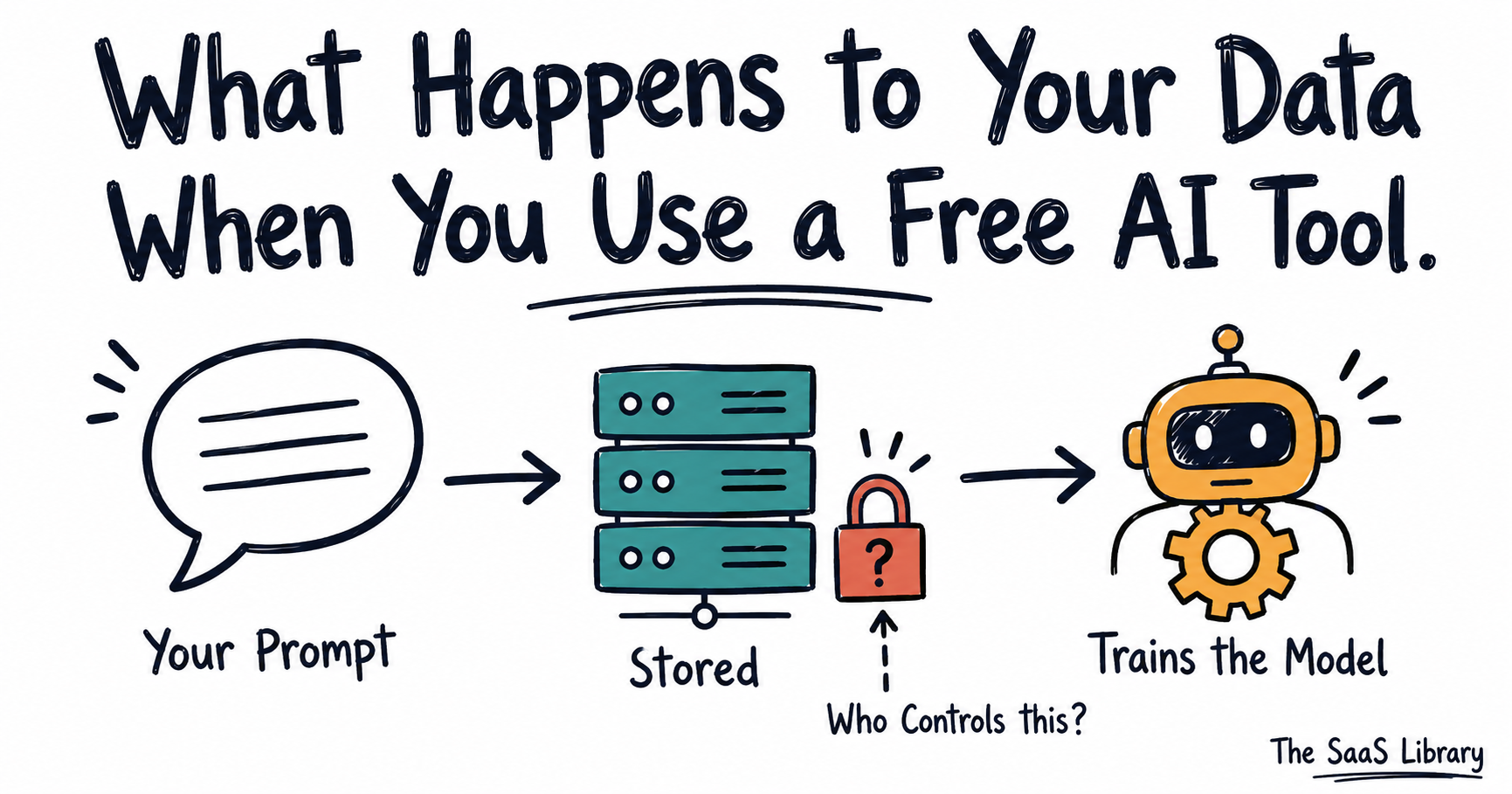
When you use a free AI tool, your data is stored on the company’s servers, sometimes reviewed by human staff for safety or quality, and — on most free tiers — used to train future versions of the model unless you actively opt out. What changes tool to tool is how long it’s kept, who sees it, and whether opting out is even possible.
When you use a free AI tool, your data doesn’t vanish after the response loads: it sits on a server, tagged to your account, waiting to be useful to someone other than you.
That “someone” is usually the model itself. Per OpenAI’s own data-use policy (updated March 13, 2026), individual ChatGPT users are opted into training by default — you have to find the setting and turn it off through OpenAI’s privacy portal or use Temporary Chat. Google’s Gemini Apps Privacy Hub (updated May 19, 2026) confirms the same default, tied to a toggle called Keep Activity.
If you’ve ever compared ChatGPT against Claude on capability, it’s worth comparing them on this too — the two handle data defaults differently in ways covered later in this article.
None of this is accidental. Free access exists because your data has value, and how AI companies actually decide pricing explains the economics behind that trade in more depth.
The exceptions matter more than the rule. Meta AI runs differently: per Meta’s own generative AI privacy blog, public Instagram and Facebook posts feed its training data, and US users get no opt-out at all — a gap none of the chat tools share.
Academic researchers have flagged the same risk independently. As Christopher Ramezan, Assistant Professor of Cybersecurity at West Virginia University, put it in his analysis for The Conversation: even when companies anonymize user data, “there is always a risk of data being reidentified.”
This mirrors a pattern we’ve seen elsewhere in AI governance: most companies are moving fast on deployment while leaving users to discover the controls themselves — see our breakdown of the AI agent governance gap for the enterprise-side version of the same problem.
Can other people see what I type into a free AI chatbot?
Yes, other people can see what you type into a free AI chatbot: on most free plans, a subset of your conversations can be reviewed by human staff — not because someone is watching in real time, but as part of routine quality and safety checks. This applies across the major chat tools, though the scale and purpose differ.
Yes, other people can see what you type — just not while you’re typing it.
Here’s what human review actually means at each of the tools we checked, per their own documentation:
- ChatGPT: per OpenAI’s data-use policy, OpenAI staff and authorized third-party contractors can review conversations for safety and model-training quality
- Gemini: per Google’s Gemini Apps Privacy Hub, Google’s trained reviewers — including service providers — assess a subset of chats, and Google explicitly warns users not to enter anything they wouldn’t want a reviewer to see
- Copilot: per Microsoft’s Copilot Privacy FAQ, trained AI experts review conversations to evaluate accuracy and safety, building and refining the model in the process
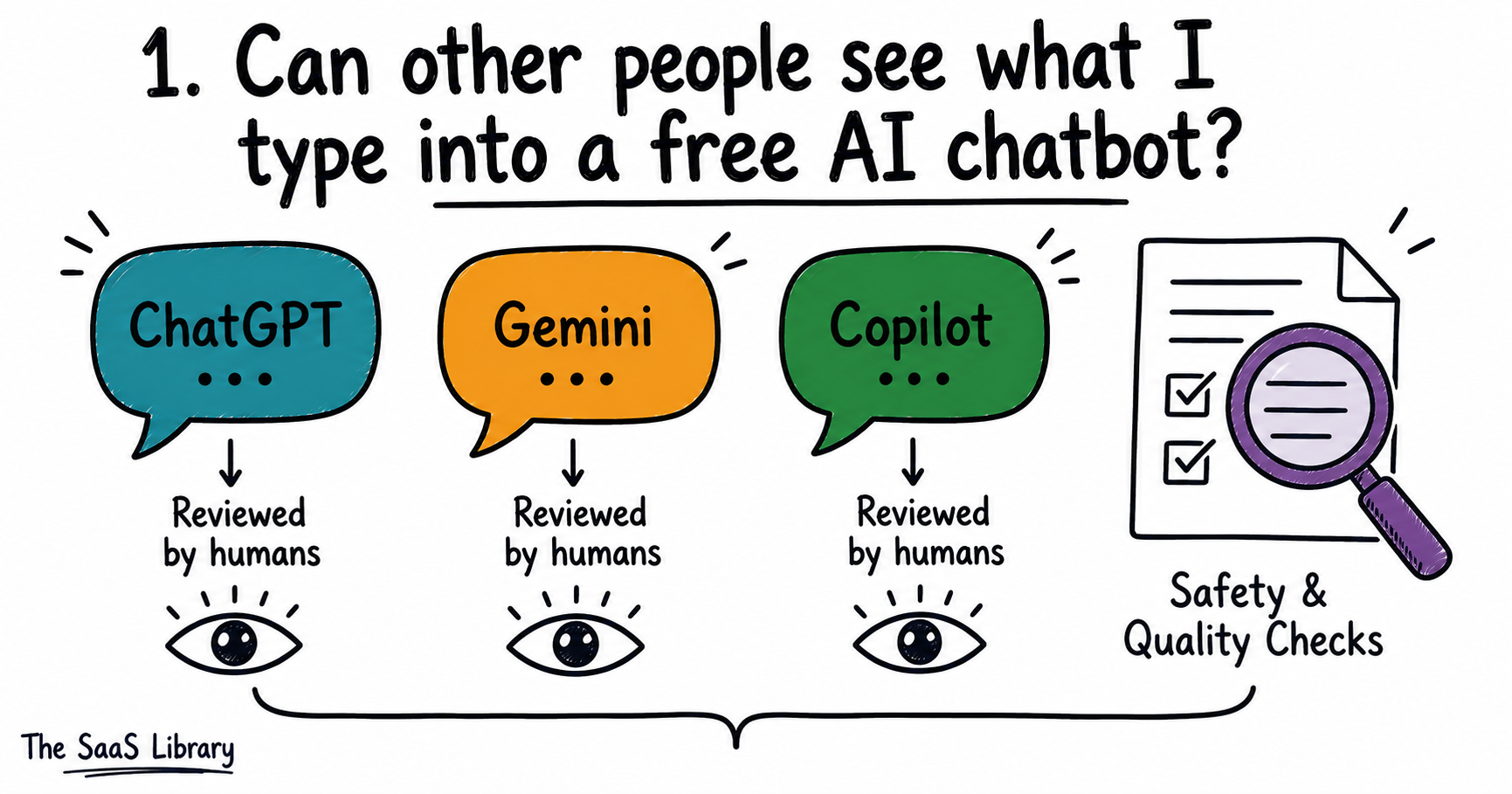
None of this means someone is sitting there reading your messages live; it means your conversation could end up in a review queue, and once it does, it’s disconnected from your name but not necessarily from context that could still identify you.
Curious how this plays out at the enterprise level, where dozens of tools touch sensitive data at once?
See the Shadow AI Audit →The practical takeaway: if a message would embarrass you on a reviewer’s screen, don’t send it to a free tier.
Is my data used to train AI without my permission?
Yes, on most free tools your data is used to train AI without explicit permission: training is the default setting, not something you opt into. The exceptions are narrower than most people assume, and one major platform offers no opt-out at all for US users.
Yes, in most cases your data is used to train AI without you being asked first — training is opt-out, not opt-in.
Here’s how the default plays out across the tools we verified:
- ChatGPT: per OpenAI’s policy, individual users are trained on by default; opting out requires visiting the privacy portal or using Temporary Chat
- Gemini: per Google’s Privacy Hub, training happens by default whenever “Keep Activity” is on; turning it off stops future training but doesn’t touch past chats
- Meta AI: per Meta’s privacy blog, publicly shared Instagram and Facebook posts have already trained its models — and unlike the others, US users have no opt-out at all; the EU got one only after regulatory pressure
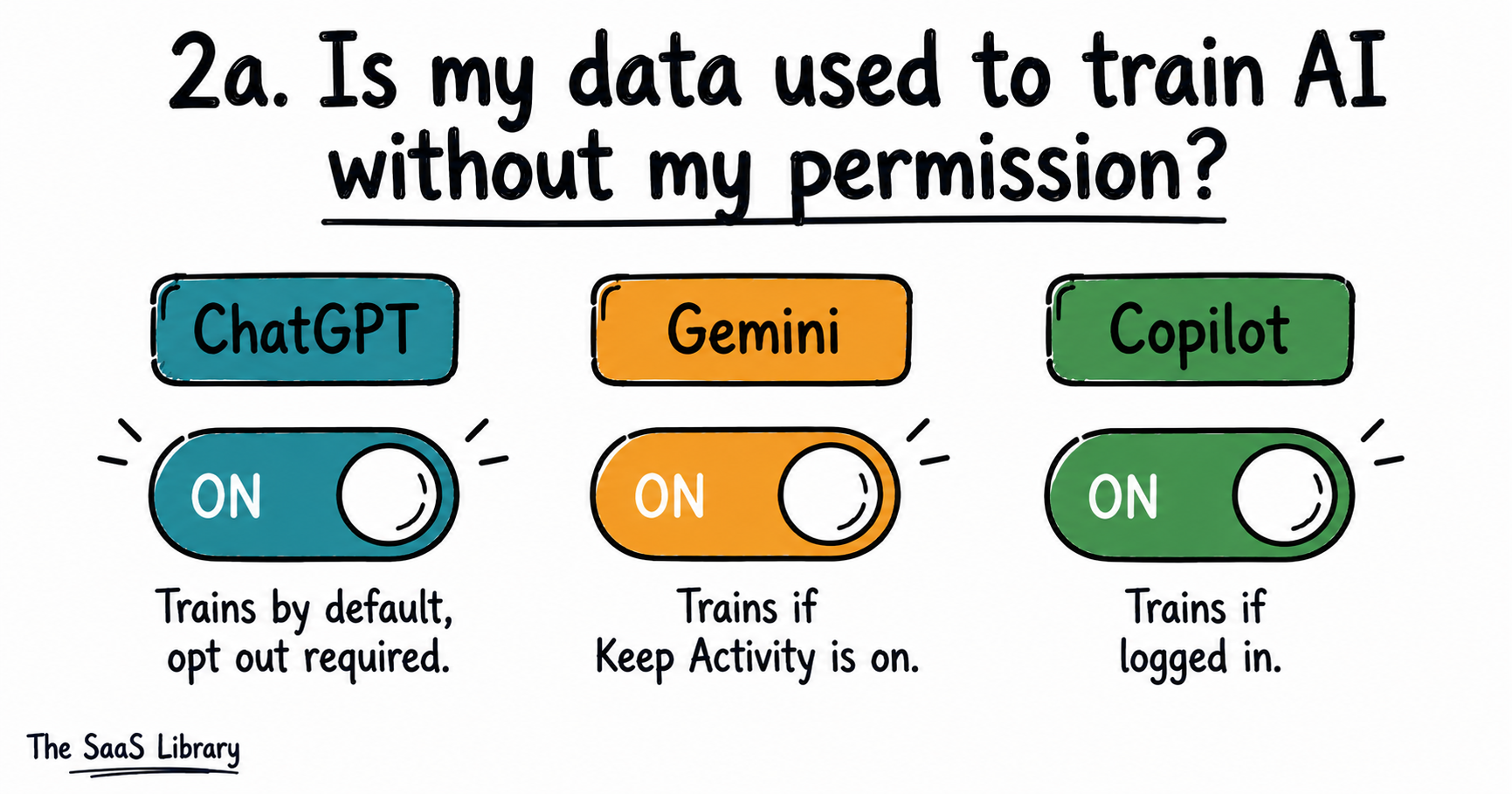
That gap is the sharpest finding in this whole comparison: a chatbot you type into gives you a settings toggle; a social app you scroll every day gives you nothing.
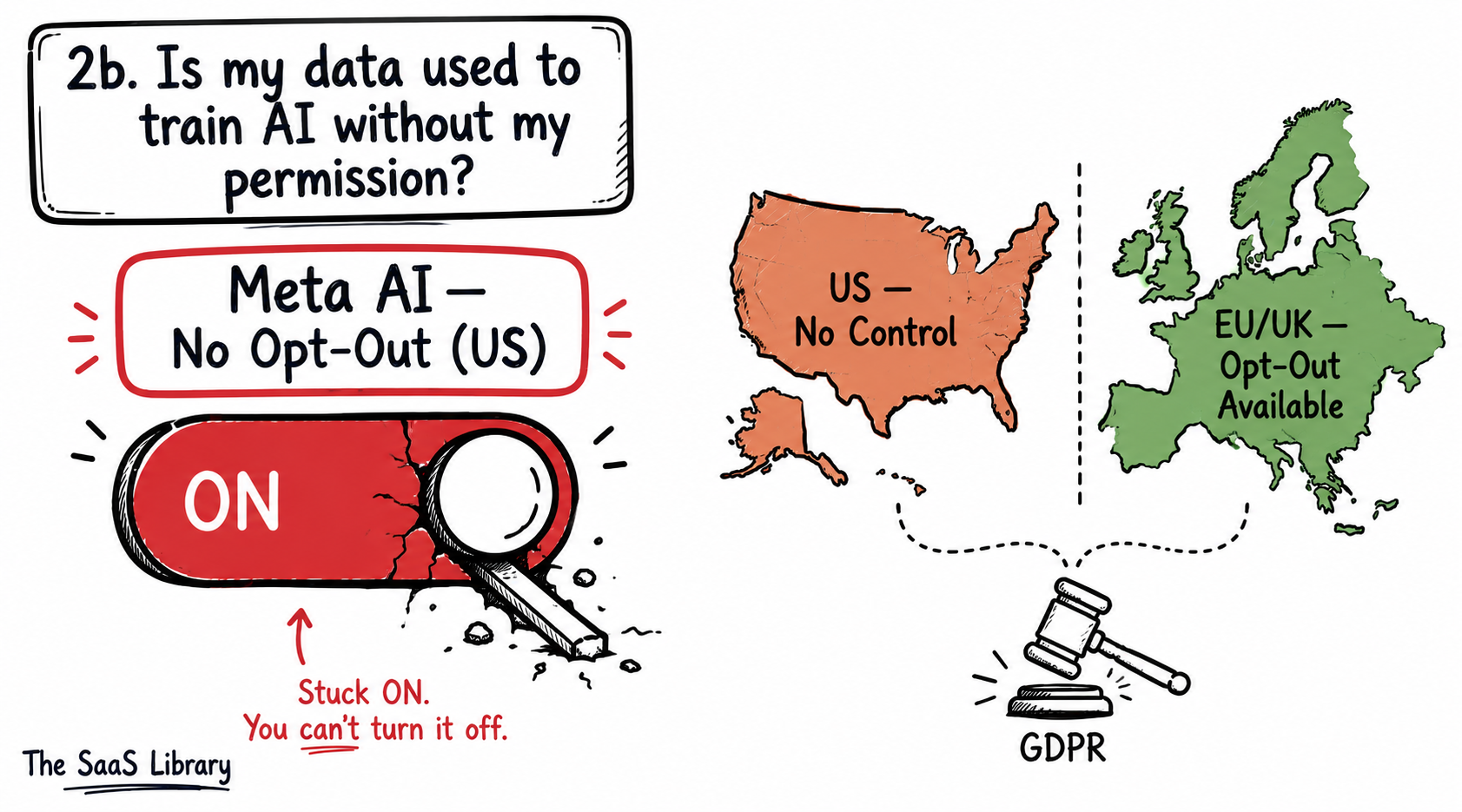
If you’ve ever made an Instagram or Facebook post public, assume it has already contributed to Meta’s AI training — there’s no retroactive way to pull it back out.
For a deeper look at how AI companies handle consent and data rights at the infrastructure level, see Open Weights vs Open Source AI.
Can I delete my data after using a free AI tool?
So far: your data gets stored, it’s sometimes reviewed by humans, and on most tools it trains the model by default. What’s left to cover is whether you can undo any of that, what happens to files specifically, and whether paying changes the equation.
Yes, you can delete your data after using most free AI tools, but deletion isn’t always immediate or total: some platforms keep a copy for safety monitoring even after you hit delete, and chats already pulled into human review often aren’t affected by deletion at all.
Yes, you can delete your data — but “deleted” doesn’t always mean gone.
Here’s what deletion actually covers at each tool, per their own retention policies:
- ChatGPT: per OpenAI’s Data Controls FAQ, even after you delete a chat or opt out of training, OpenAI retains data for up to 30 days for abuse and safety monitoring
- Gemini: per Google’s Gemini Apps Privacy Hub, the default auto-delete window is 18 months (adjustable to 3, 36 months, or indefinite); Temporary Chats or chats with Keep Activity off are held for just 72 hours — but chats already sent for human review are retained for up to 3 years regardless, disconnected from your account rather than deleted
- Otter.ai: per Otter’s Privacy & Security page, Otter uses a proprietary method to de-identify recordings before training, automatically and without manual human review — but this happens whether or not you’ve deleted the original transcript
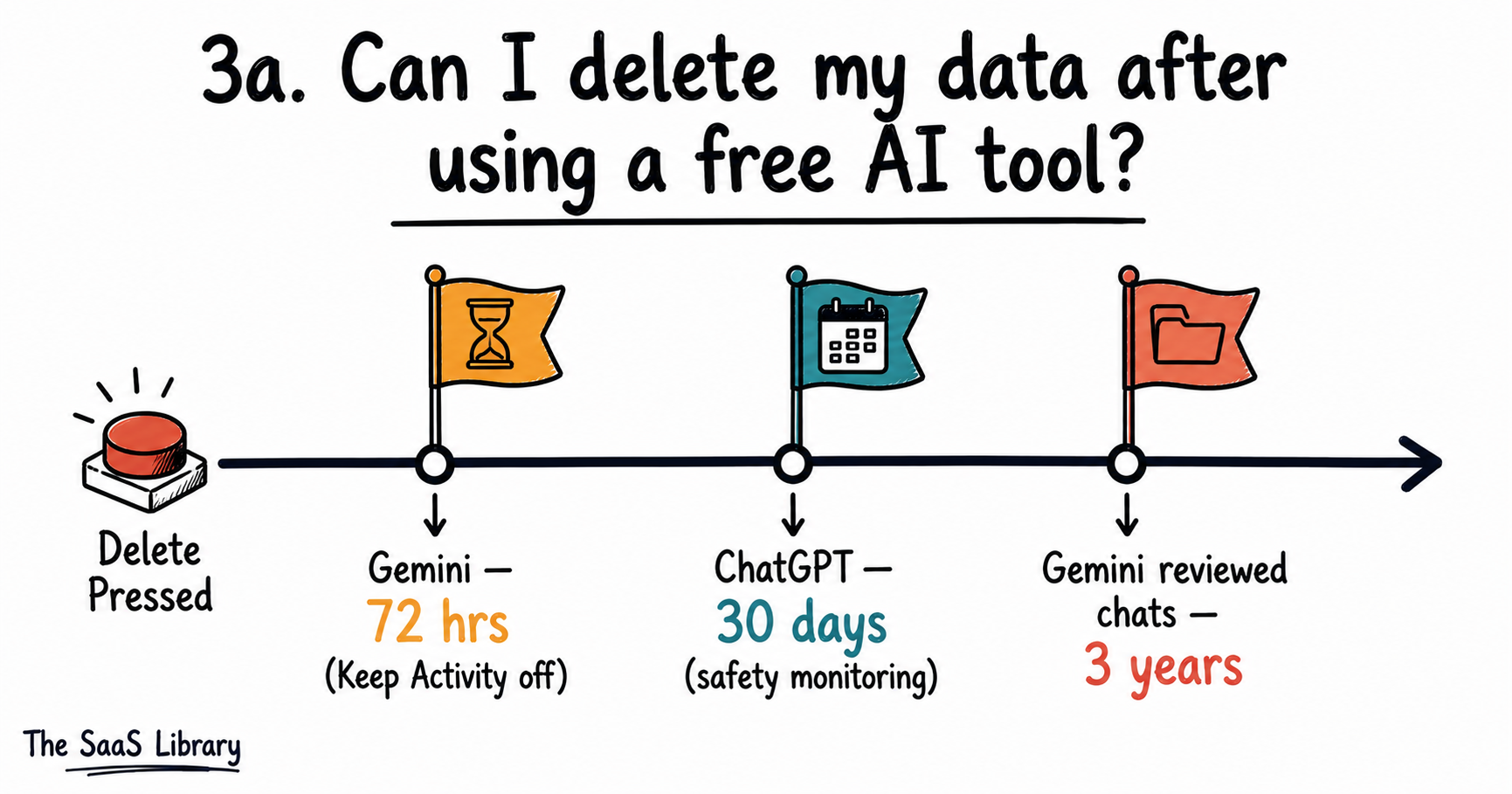
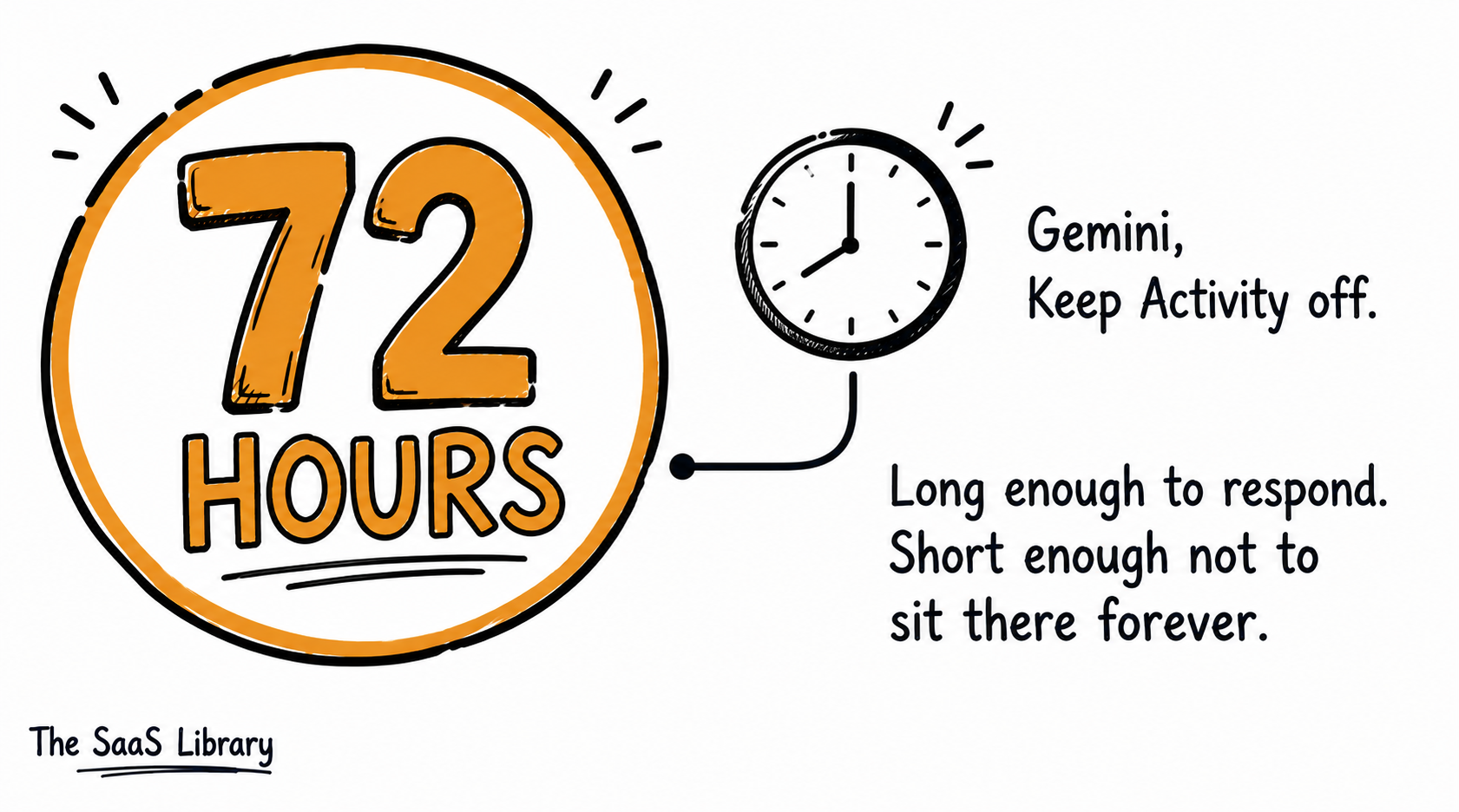
The takeaway: deletion controls what’s visible to you, not necessarily what still exists on the company’s servers.
Is it safe to upload photos or documents to a free AI tool?
Uploading photos or documents to a free AI tool is not automatically safe: uploaded files often fall under a broader content license than a typed prompt, and that license can apply even when the tool’s chat-based training rules don’t.
Uploading photos or documents to a free AI tool is not automatically safe: uploaded files often fall under a broader content license than a typed prompt, and that license can apply even when the tool’s chat-based training rules don’t.
Here’s what happens to uploaded content at the two tools we checked that center on files rather than chat:
- Canva: per Canva’s Privacy Policy, Canva may analyze your uploads and content to train its AI products; this is enabled by default on Free and Pro accounts, and only Teams, Business, Enterprise, and Education accounts are excluded automatically
- Otter.ai: per Otter’s Privacy & Security page, audio recordings and transcripts are de-identified and used to train Otter’s own models automatically — imported documents from connected apps like Google Workspace are excluded, but Otter’s own recordings are not
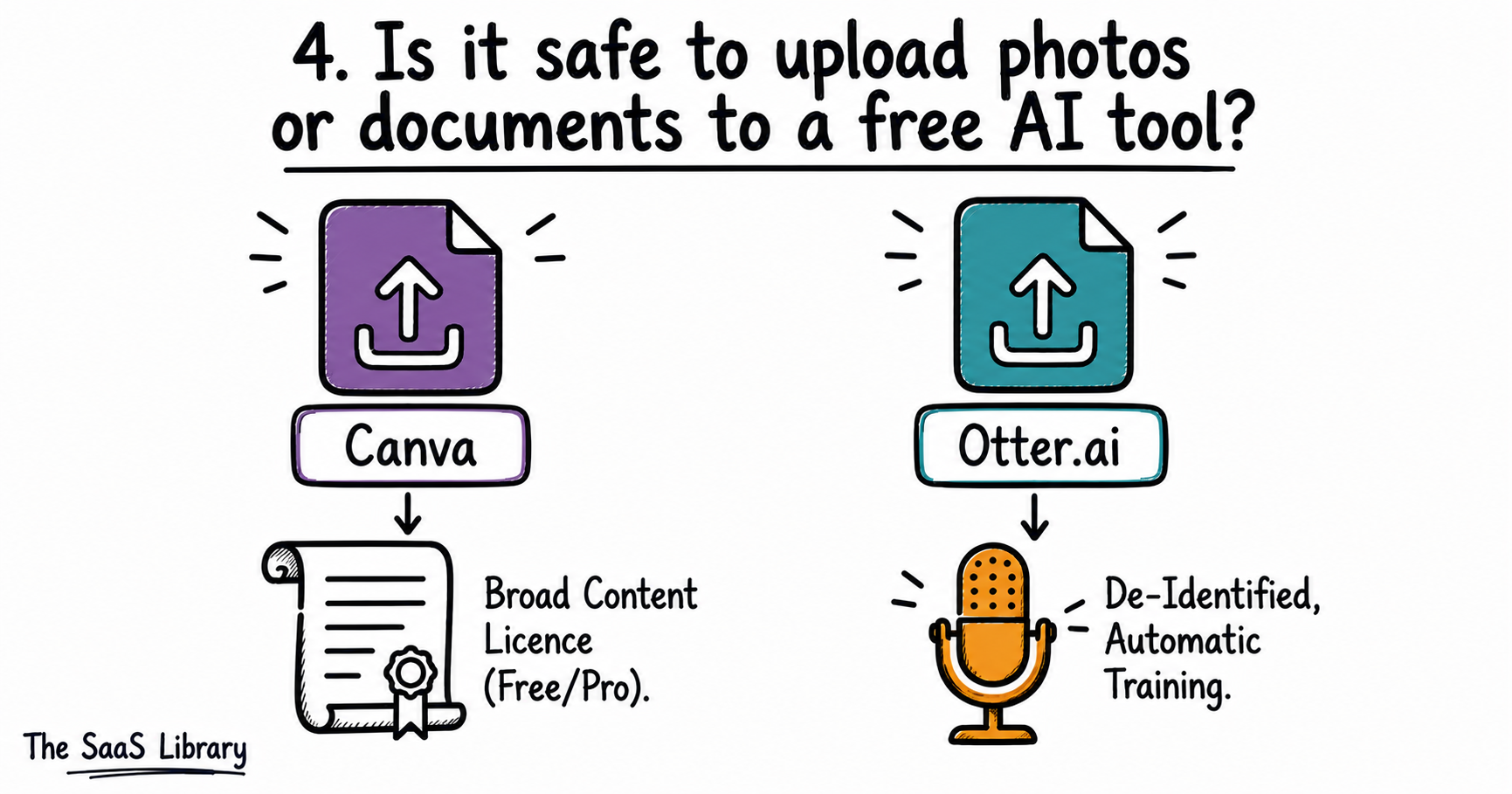
A file you import from another service (like a Google Doc) is often treated differently than content you generate directly inside the tool — check which category your upload falls into before assuming either rule applies.
Gemini and Copilot both process uploaded images and files as well, but per their respective policies covered earlier, that content is folded into the same chat-based training rules already discussed — not a separate file-specific policy.
Does paying for an AI tool make your data safer?
Not automatically: paying for an individual subscription to most AI tools doesn’t change the default training policy — only business or enterprise-tier accounts reliably do. This runs against the common assumption that upgrading buys privacy.
Paying for an AI tool does not automatically make your data safer — and this is where most people get it wrong.
The instinct is “I paid for this, so my data must be safer now.” Across the tools we checked, that’s true only at the business tier, not the individual paid tier:
- ChatGPT: per OpenAI’s data-use policy, the training-opt-out default applies to “services for individuals” — which explicitly includes ChatGPT regardless of whether it’s the free or Plus subscription; only Team, Enterprise, and API access are excluded by default
- Copilot: per Microsoft’s own community guidance, a personal Copilot Pro subscription does not change the underlying training policy — protection only kicks in when signed in with an eligible company account through Microsoft Entra ID
- Canva: per Canva’s AI Product Terms and Privacy Policy, Free and Pro accounts share the identical opt-out-by-default training policy; only Teams, Business, Enterprise, and Education accounts are excluded automatically and can’t opt back in even if they wanted to
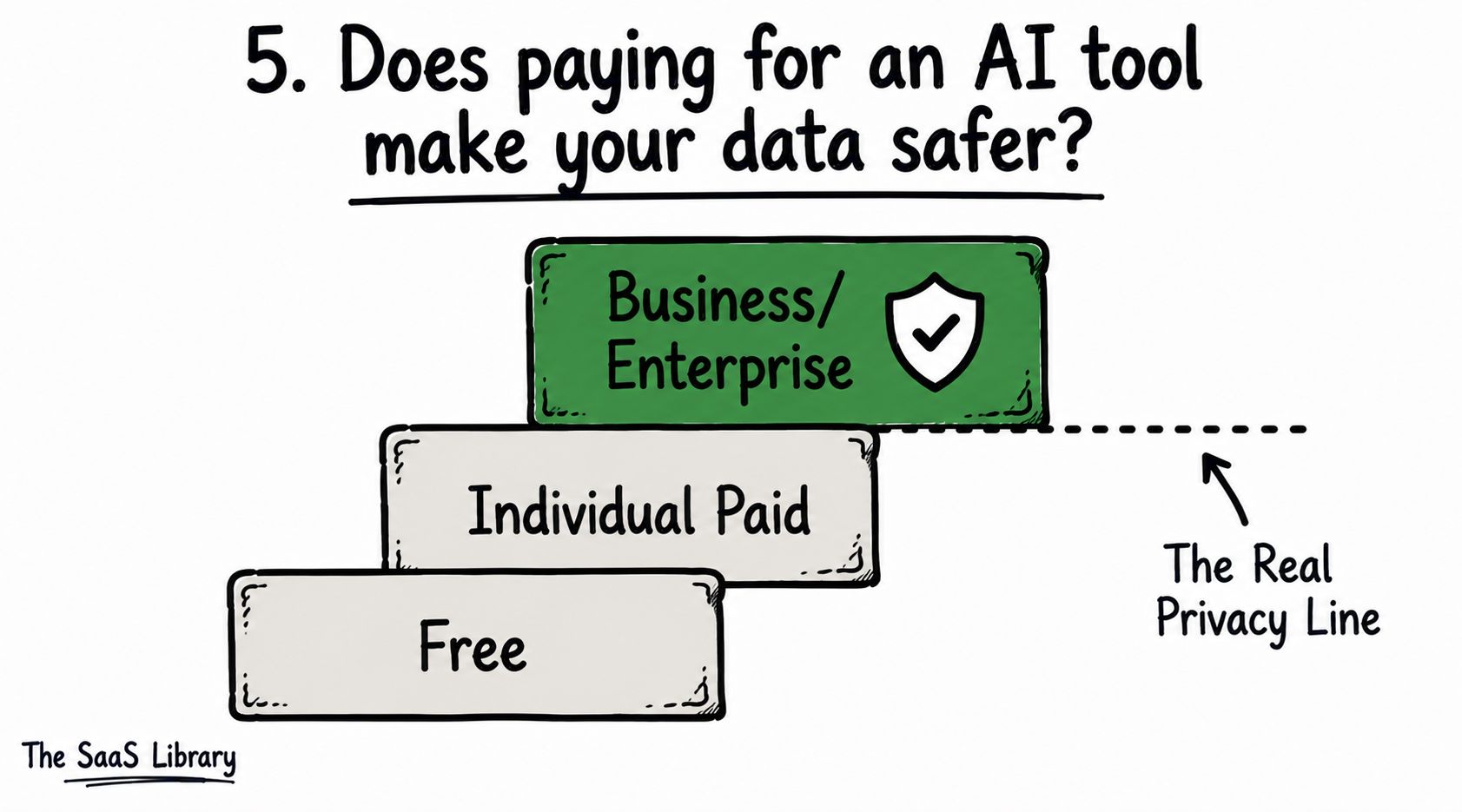
Where the individual-vs-enterprise line actually falls
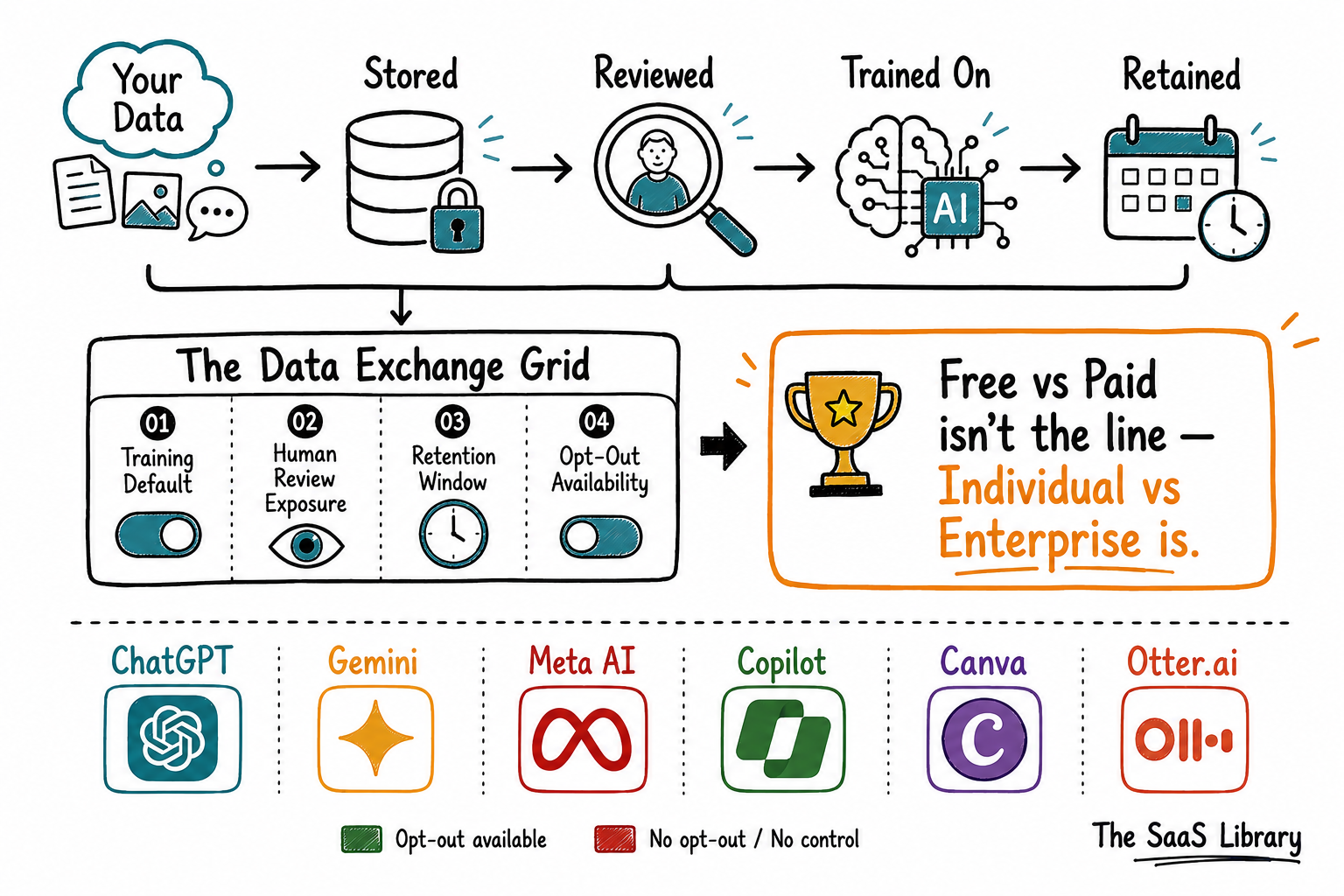
This is a genuinely counterintuitive point worth sitting with: the privacy line isn’t drawn between free and paid — it’s drawn between individual and organizational accounts. For a fuller picture of what that organizational-tier protection actually requires, see The Governance Readiness Gap — AI Compliance for Enterprise SaaS.
How do you stop an AI tool from using your data?
You stop an AI tool from using your data by finding its specific opt-out or privacy setting — there’s no universal switch, and each tool covered here places it somewhere different. For Meta AI, in the US, no such setting currently exists.
You stop an AI tool from using your data by locating the exact control each one buries in its own settings menu — there’s no single universal toggle.
Here’s where to find it at each tool, per the same sources verified throughout this article:
- ChatGPT — go to Settings → Data Controls and turn off “Improve the model for everyone,” or use Temporary Chat for a one-off conversation
- Gemini — visit Gemini Apps Activity and turn off “Keep Activity,” or start a Temporary Chat
- Meta AI — no opt-out exists for US users; EU/UK/Switzerland users received a notice-and-objection window under GDPR, per Meta’s privacy blog
- Copilot — per Microsoft’s Privacy FAQ, the control lives in Copilot’s own privacy settings, available only when signed in with a Microsoft Account
- Canva — per Canva’s Privacy Policy, the toggle is under Privacy Settings in account settings
- Otter.ai — no manual opt-out for Otter’s own de-identified training process is documented in its Privacy & Security page
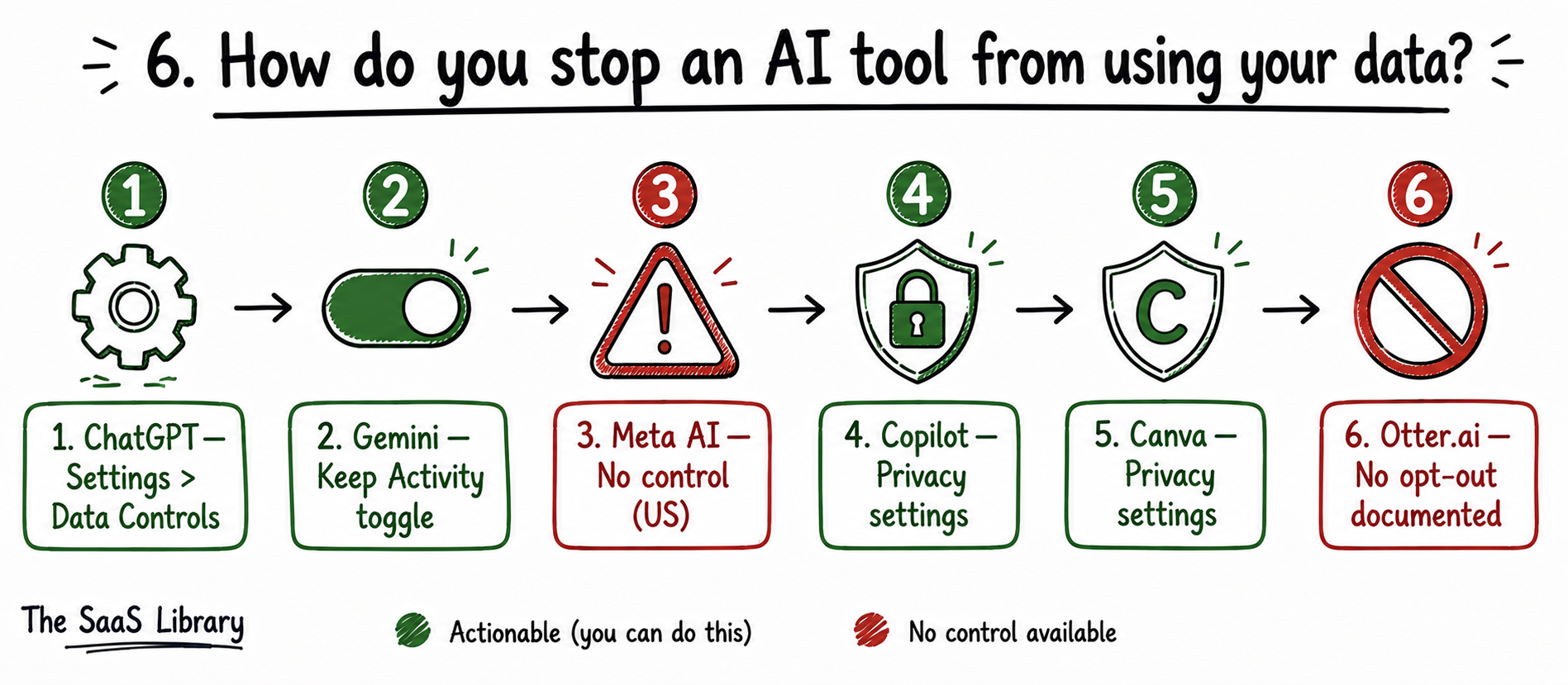
Only 4 of the 6 tools checked here offer any opt-out at all for individual free-tier users — Meta, 2025; Otter.ai, 2026.
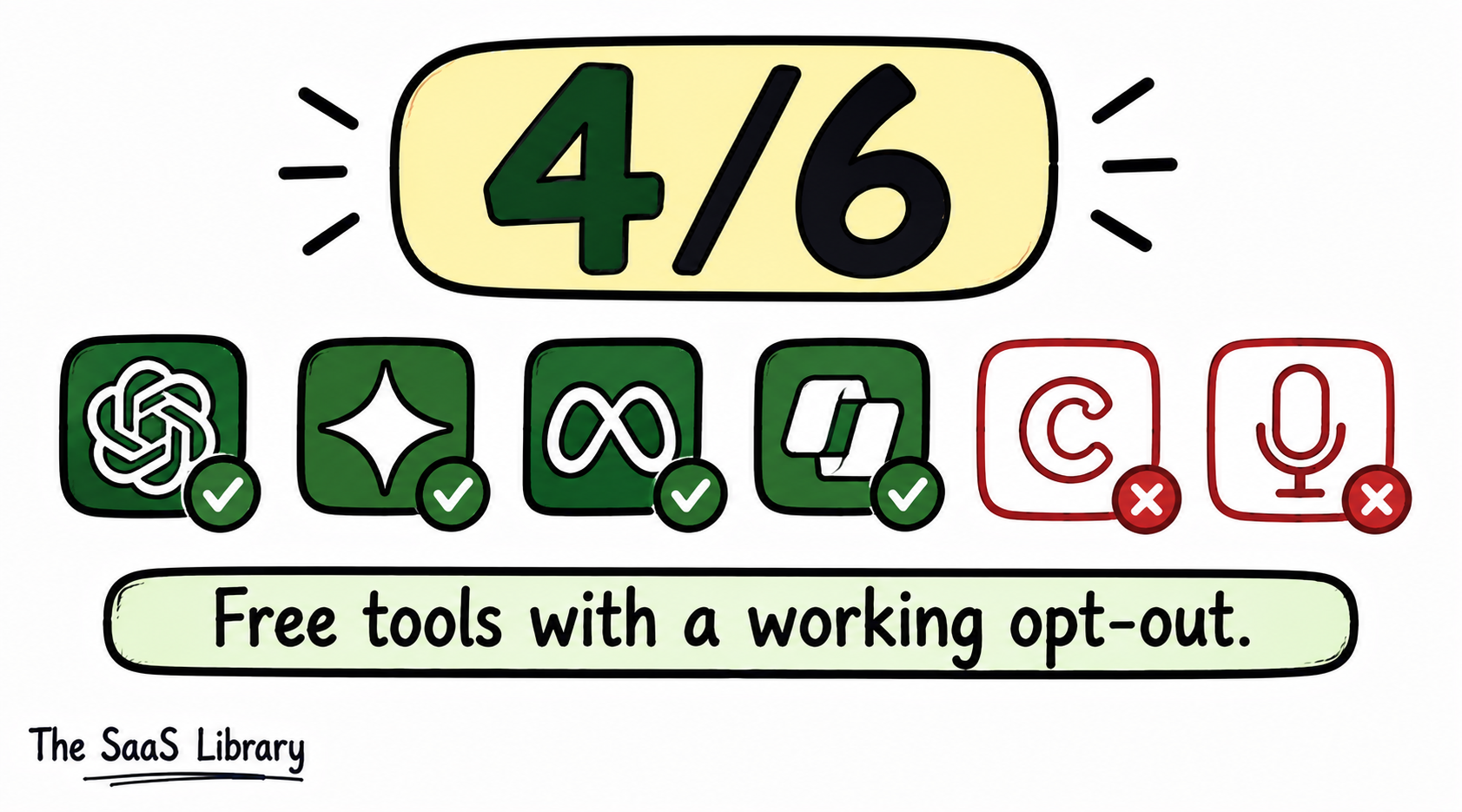
That gap between disclosed and undisclosed is the whole story here — and it’s worth asking what you can actually do about it, tool by tool.
Which free AI tools are safest to use?
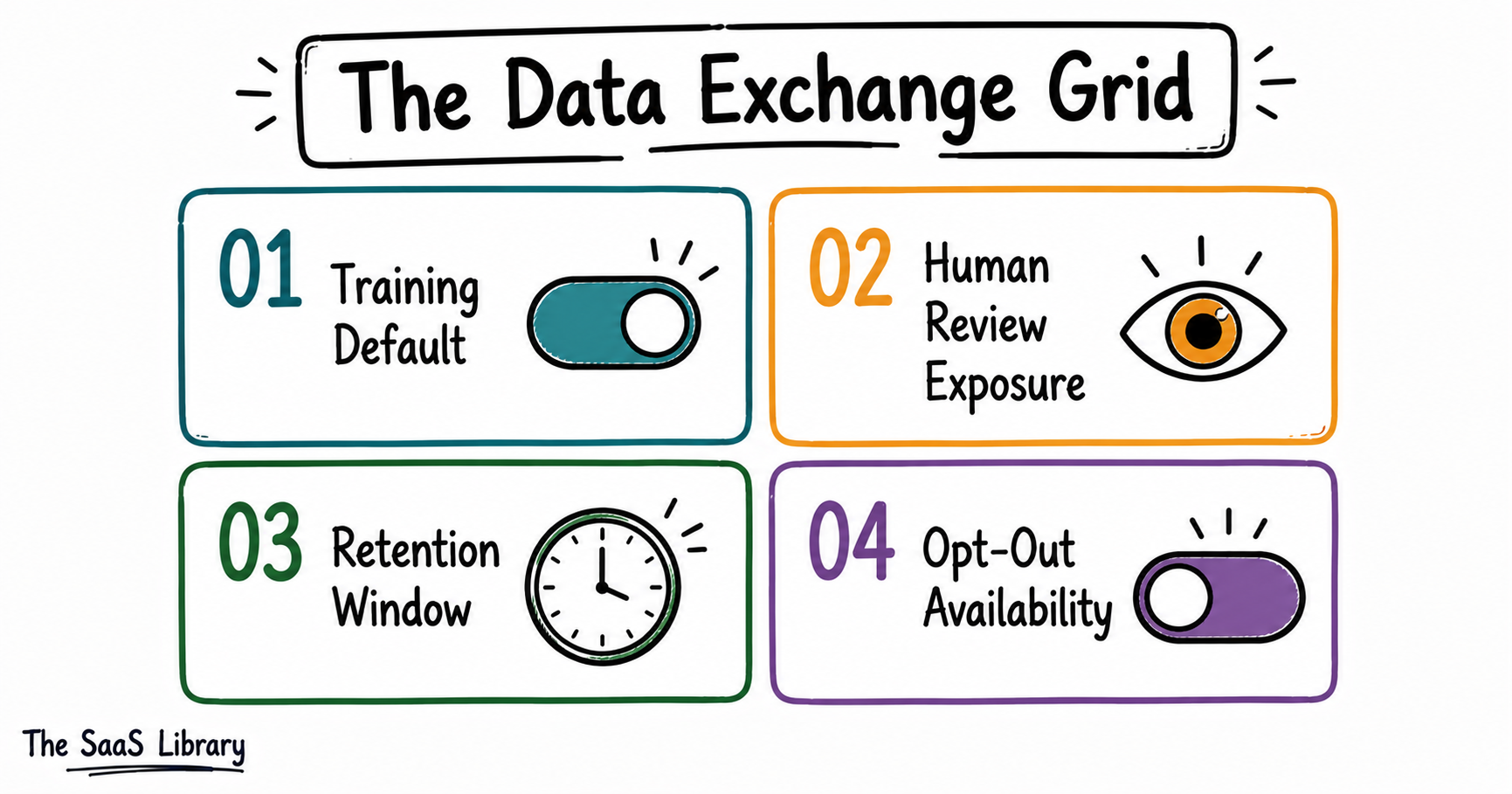
The free AI tools safest to use are the ones that give you a working opt-out and a short, disclosed retention window — by that standard, ChatGPT and Gemini score best, Meta AI scores worst, and Canva and Otter.ai fall in between depending on what you’re uploading.
The free AI tools safest to use aren’t the ones with the best reputation — they’re the ones that score well across four specific measures, not just one.
The Data Exchange Grid, explained
What the comparison table shows
| Tool | Training Default | Human Review | Retention | Opt-Out |
|---|---|---|---|---|
| ChatGPT | On by default | Yes, staff + contractors | 30 days post opt-out | Yes |
| Gemini | On if Keep Activity on | Yes, trained reviewers | 72 hrs–18 months | Yes |
| Meta AI | On, public posts | Not disclosed | Not disclosed | No (US) |
| Copilot | On if logged in | Yes, AI experts | Not disclosed | Yes |
| Canva | On, Free/Pro | Not disclosed | Not disclosed | Yes |
| Otter.ai | On, de-identified | No (automated) | Not disclosed | No |
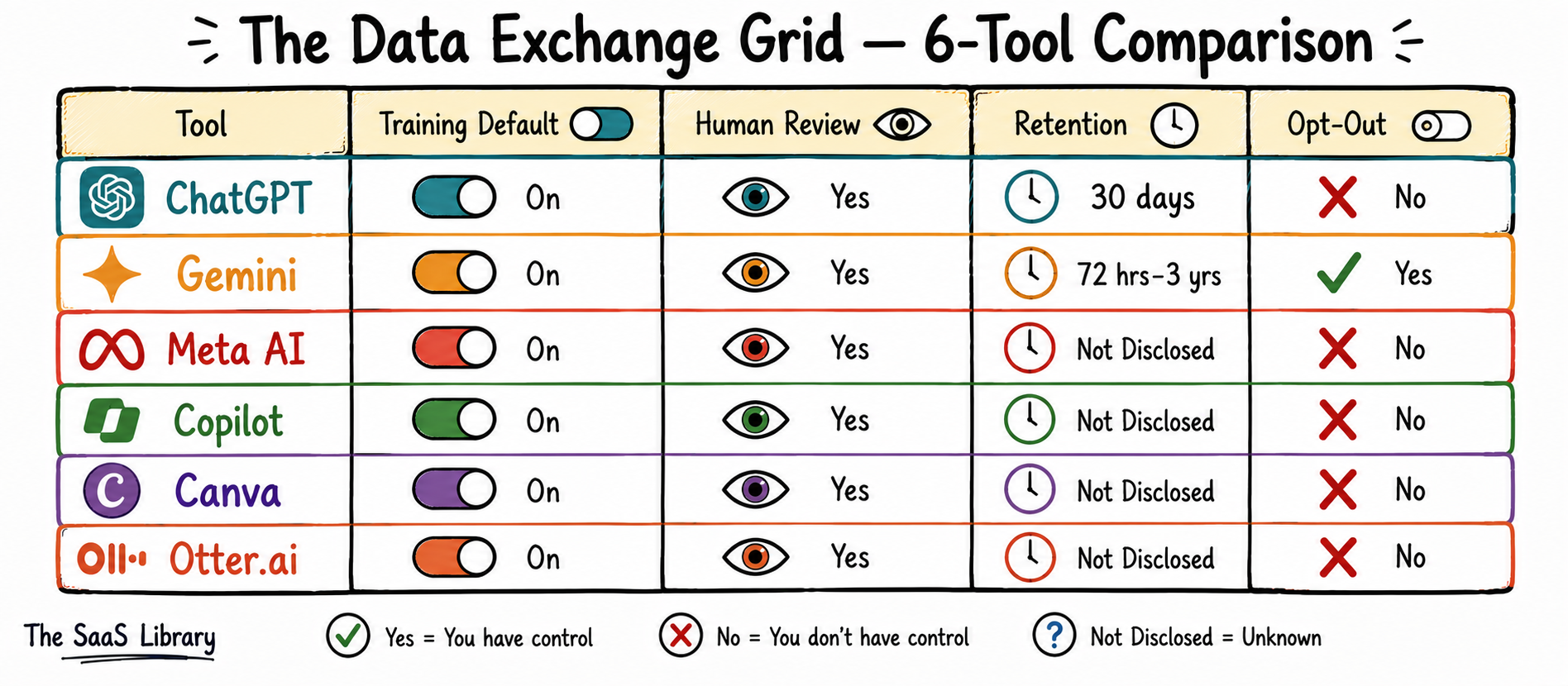
The Data Exchange Grid shows the real split isn’t free versus paid — it’s disclosed versus undisclosed. Meta AI and Otter.ai score worst not because their policies are unusually aggressive, but because their public documentation leaves the most questions unanswered.
Frequently Asked Questions
Does ChatGPT sell my data to advertisers?
ChatGPT does not sell your data to advertisers. Per OpenAI’s data-use policy, your content may be used to train OpenAI’s own models, not shared with third-party advertisers for ad targeting.
Can I use ChatGPT without my conversations being saved?
Yes, you can use ChatGPT without your conversations being saved by selecting Temporary Chat from the dropdown menu — these conversations won’t appear in history, create memories, or be used to train the model.
Does Google Gemini show me ads based on my chats?
No, Google Gemini does not show you ads based on your chats. Per Google’s Gemini Apps Privacy Hub, Gemini Apps chats are not currently used to show ads, though Google notes it will communicate clearly if this changes.
Is Meta AI different from ChatGPT and Gemini when it comes to privacy?
Yes, Meta AI is different from ChatGPT and Gemini when it comes to privacy: it trains on public Instagram and Facebook posts by default, and US users have no way to opt out, unlike the toggle-based controls ChatGPT and Gemini both offer.
Do EU users get better privacy protections than US users on these tools?
Yes, EU users generally get better privacy protections than US users on these tools: under GDPR, Meta was required to offer EU, UK, and Swiss users a notice-and-objection window before AI training began, a right not extended to US users.
Does Microsoft Copilot use my data if I’m not logged in?
No, Microsoft Copilot does not use your data for training if you’re not logged in with a Microsoft Account or third-party authentication, per Microsoft’s own Privacy FAQ.
Can Canva use my old designs to train its AI?
Yes, Canva can use your old designs to train its AI on Free and Pro accounts, since content usage for AI training is enabled by default in privacy settings — you have to manually opt out.
Does Otter.ai let a human listen to my meeting recordings?
No, per Otter’s Privacy & Security page, Otter’s own training process on recordings is automatic and de-identified, without manual human review — though Otter staff may access recordings if you give explicit consent for support troubleshooting.
Is it safe to use free AI tools for client or customer data?
No, it is generally not safe to use free AI tools for client or customer data, since most free tiers retain and can train on submitted content, and only business or enterprise tiers offer contractual guarantees against this.
Do free AI tools tell you when their privacy policy changes?
Most free AI tools do notify users of privacy policy changes, typically through in-app notices or updated terms pages, though the level of detail and advance warning varies significantly by company.
Conclusion
The Data Exchange Grid comes down to one idea: free AI tools aren’t free, they’re a trade, and the terms of that trade are almost never disclosed upfront. ChatGPT and Gemini give you the clearest exit ramps; Meta AI and Otter.ai give you the fewest.
The single most important takeaway is this: don’t assume paying fixes it. The privacy line sits between individual and organizational accounts, not between free and paid.
If you’re deciding which AI tools are safe enough for your work, the Shadow AI Audit linked earlier in this article walks through the same evaluation at a team level.
- OpenAI — How Your Data Is Used to Improve Model Performance (updated March 13, 2026)
- OpenAI — Data Controls FAQ
- OpenAI — Privacy Portal (opt-out)
- Google — Gemini Apps Privacy Hub (updated May 19, 2026)
- Google — Gemini Apps Activity (settings)
- Meta — Privacy Matters: Meta’s Generative AI Features
- Microsoft — Privacy FAQ for Microsoft Copilot
- Microsoft Learn — Copilot Free vs. Paid Privacy Q&A
- Canva — Privacy Policy
- Canva — AI Product Terms
- Otter.ai — Privacy & Security