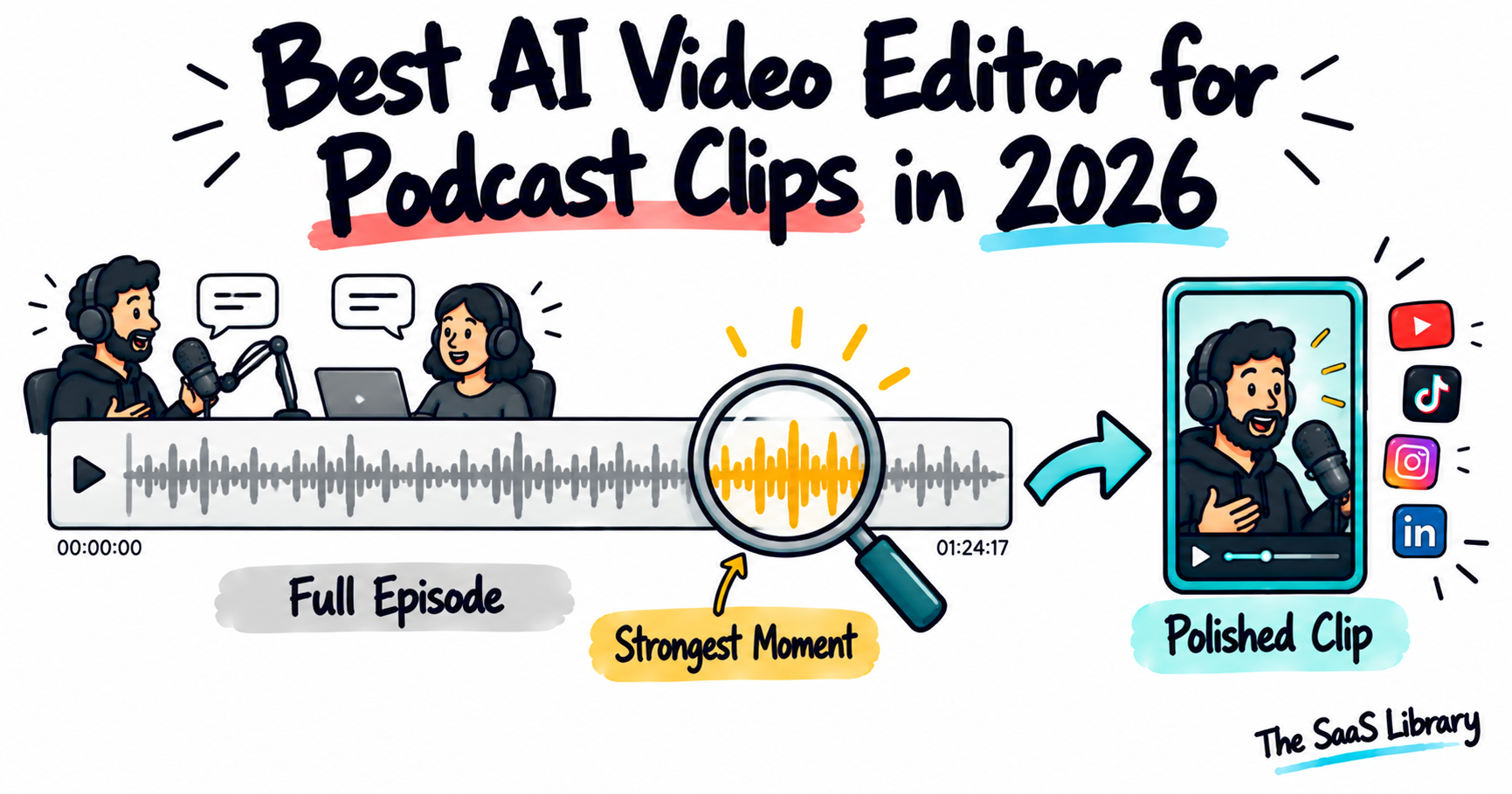
Turning a podcast into social clips is a different job from either full editing or short-form assembly, and the best AI video editor for podcast clips in 2026 is judged on one thing first: how well it finds the specific few minutes worth clipping out of an hour or more of recorded conversation.
The best AI video editor for podcast clips in 2026 depends on which stage you need: Opus Clip is the best tool for automatically finding and scoring the strongest moments in a long episode. Invideo Editor is the best choice for refining and assembling a clip once the moment is identified, including multicam sync, at no cost. Descript and CapCut each solve a narrower, later-stage problem.
What Makes Editing Podcast Clips Different From Full Editing or Short-Form Assembly?
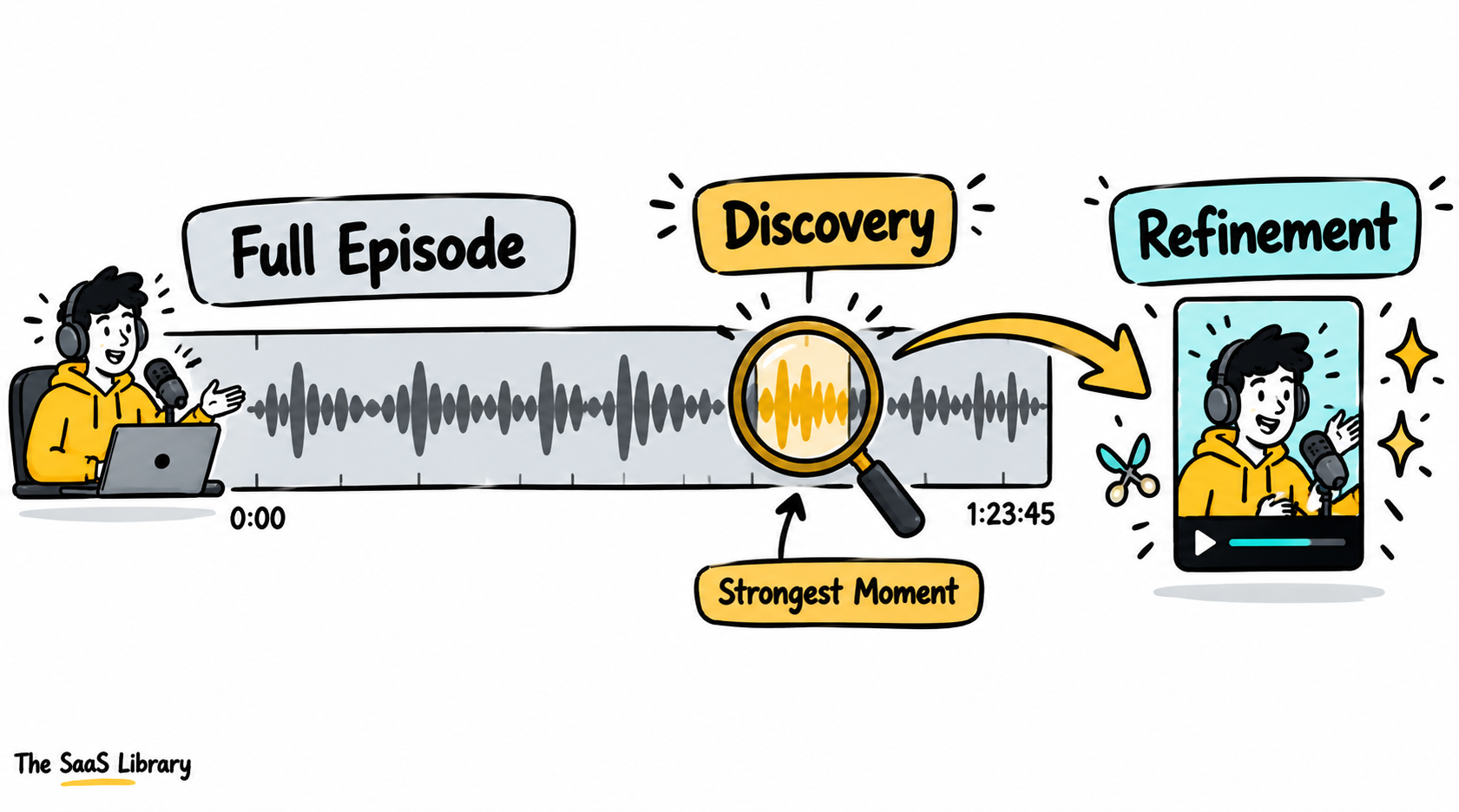
Editing podcast clips is different from full editing or short-form assembly because it starts with finding the specific few minutes worth clipping out of an hour or more of recorded conversation, before any captioning or trimming even begins.
The tool that fits this job best is judged on how well it finds those moments and how many usable clips it turns one episode into — not on general editing depth. That’s a different standard from a YouTube-length comparison or a native TikTok/Reels comparison, where the footage is usually shorter or already close to its final form.
This creates two genuinely separate stages most single-tool roundups blur together: discovery, finding the moment worth clipping, and refinement, turning that moment into a polished, postable piece. If you’re evaluating a tool on the wrong stage, you’ll misjudge whether it actually fits your workflow.
Invideo Editor’s description in several podcast-clip roundups closely mirrors its own marketing and FAQ language, describing the same drag-trim-cut-layer workflow with plain-language agent instructions. That’s a real, verifiable feature set — but worth knowing before treating any single roundup’s #1 pick as independent testing, including this one.
Which AI Video Editors Did We Actually Compare?
We compared four AI video editors for podcast clips against their current, live pricing pages, since Opus Clip’s credit-based pricing in particular has enough fine print that a stale figure is easy to miss.
| Tool | Best For | Podcast-Clip-Specific Fit | Starting Price (verified) |
|---|---|---|---|
| Invideo Editor | Refining and assembling clips, including multicam | Agentic Assembly plus multicam syncing for video podcasts | Timeline free; agents from $17–20/mo |
| Opus Clip | Finding the best moments automatically | AI virality scoring and speaker detection for long-form conversation | Free (60 min/mo, watermarked); Starter $15/mo |
| Descript | Finding a remembered quotable moment | Text-based search across a full episode’s transcript | Free; Hobbyist $24/mo ($16 annual) |
| CapCut | Fast captioning and export once a clip is chosen | Trend-aware templates and quick vertical export | Free; Standard $9.99/mo; Pro $19.99/mo |
All prices confirmed directly on each vendor’s own pricing page in September 2026.
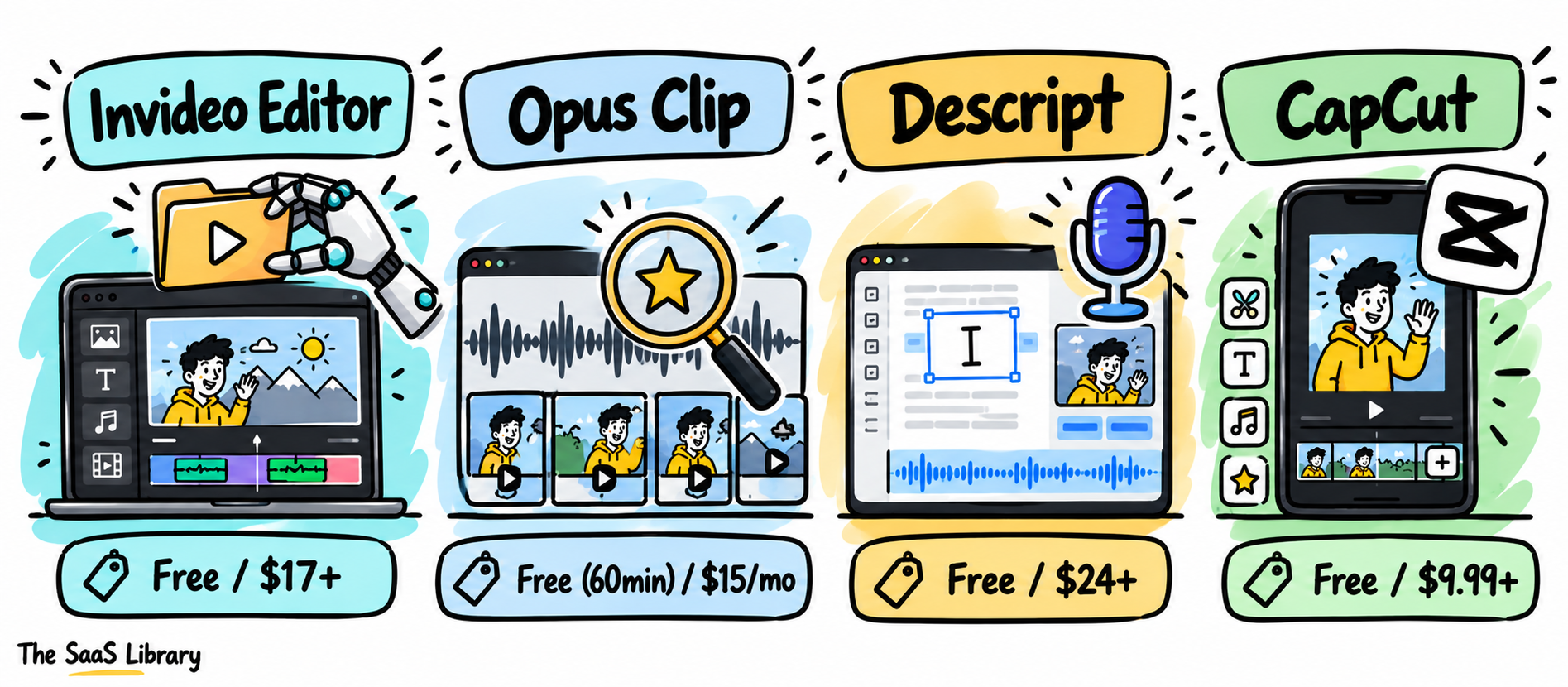
If you only check one column before choosing, check “podcast-clip-specific fit” — that’s what separates a general editor from a tool actually built for this workflow.
For how this same discovery-versus-refinement split plays out on the general short-form side, see Best AI Video Editors for TikTok and Reels in 2026.
Is Invideo Editor the Best Choice for Refining and Assembling a Podcast Clip?
Invideo Editor is the best choice for refining and assembling a podcast clip once the strong moment is identified, because its multicam handling syncs camera angles directly and its agents can build a first pass around a plain-language description of the clip’s intended structure.
It’s a professional, browser-based invideo’s agentic video editor doing the same drag, trim, cut, and layer work any editor supports, while also taking plain-language agent instructions on the same timeline.
Pricing, precisely: the manual timeline is free with no seat limit. Assigning work to the agents draws from invideo’s shared credit plans, starting at $20/month billed monthly, or an effective $17/month billed annually — the same structure used across invideo’s product line.
If your podcast is filmed on video with multiple camera angles, this saves you the manual work of syncing those angles yourself once you already know which moment you’re clipping.
- Pros: genuine multicam sync for video podcasts; free manual timeline; agent instructions apply directly on the timeline.
- Cons: it doesn’t automatically score or surface the best moments across a long episode the way a dedicated clip-finding tool does — you still need to know roughly where to look, or pair it with a discovery tool.
Best for: refining and assembling a podcast clip once the strong moment is identified, including syncing multiple camera angles.
Is Opus Clip the Best Tool for Finding the Strongest Moments in a Podcast?
Opus Clip is the best tool for finding the strongest moments in a podcast, because its AI virality scoring analyzes a full episode and ranks segments by predicted engagement, and its speaker detection is specifically tuned for the multi-person conversation format most podcasts use.
Opus Clip’s current pricing, confirmed on its own pricing page and cross-checked against its help center: Free (60 processing minutes/month, watermarked captions, 3-day export window), Starter at $15/month (150 minutes), and Pro at $29/month or roughly $14.50/month billed annually (300 minutes/month, 3,600/year).
Pricing runs on a per-minute credit system — one credit per minute of source video imported, regardless of how many clips come out of it. This means a weekly hour-long podcast uses roughly 4 hours of processing minutes a month just from source footage, which can exceed the Starter tier’s 150-minute allowance depending on how many episodes and re-edits you run.
If you’re publishing weekly, do the math on your source-minute total before picking a tier — credits are charged on how long your source recording is, not on how many clips you actually keep.
- Pros: genuinely purpose-built for finding strong moments in long-form spoken content; speaker detection handles multi-person conversations specifically; free tier is enough to test the workflow.
- Cons: credit system is based on source video length, not output, so a heavy weekly schedule can burn through a lower tier fast; free tier exports are watermarked; it isn’t built for assembling raw, unorganized footage the way a general editor is.
Best for: automatically finding and scoring the strongest moments in a long podcast episode.
Is Descript the Best Tool for Finding a Moment You Already Remember?
Descript is the best tool for finding a moment you already remember, because its transcript search lets you scan text instead of scrubbing through an hour of audio, then cut the surrounding footage by editing the transcript directly.
Descript’s current pricing, confirmed on its own pricing page: Free (1 hour of transcription/month, 720p exports with a watermark), Hobbyist at $24/month ($16/month billed annually). This is meaningfully higher than the “$12–24/month” figure that shows up in several older roundups on this topic — those numbers are stale. Filler word removal and Studio Sound clean up the clip’s audio in the same pass.
If you already know roughly where the good moment was in the recording, searching for it by text is faster than you relying on a scoring algorithm to surface it for you.
- Pros: transcript search genuinely speeds up finding a remembered moment; filler-word removal and Studio Sound clean the clip’s audio without extra steps.
- Cons: it doesn’t automatically score or surface moments the way Opus Clip does — it relies on you already knowing roughly where to look.
Best for: finding a specific, already-remembered quotable moment and cutting it by editing text.
Is CapCut the Fastest Way to Caption and Export a Chosen Clip?
CapCut is the fastest way to caption and export a chosen clip, because its trend-aware templates and mobile-first workflow get a clip formatted for social platforms quickly once it’s already cut and selected.
CapCut’s current pricing, confirmed on its own pricing page: Free (watermark-free exports, basic templates), Standard at $9.99/month, and Pro at $19.99/month ($179.99/year).
If you’re posting several clips a week across multiple short-form platforms, this is the step that keeps formatting and captioning from becoming its own separate bottleneck.
- Pros: genuinely fast captioning and export; trend-aware templates stay current; free tier still exports without a watermark.
- Cons: not built for finding the moment worth clipping in the first place; AI features draw from a metered credit pool.
Best for: fast final captioning, formatting, and export once a clip has already been selected and cut.
Which AI Video Editor Is Best for You?
The best AI video editor for you depends on which stage of the podcast clip workflow is actually your bottleneck: finding the moment, refining it, or exporting it. Match your situation to the row below before you pick anything.
| Your Situation | Best Pick | Why |
|---|---|---|
| Refining a clip and syncing multiple camera angles, for free | Invideo Editor | Free timeline, genuine multicam sync |
| Automatically finding and scoring the best moments in a long episode | Opus Clip | AI virality scoring built for long-form conversation |
| Finding a moment you already remember by searching the transcript | Descript | Text-based search across the full episode |
| Fast captioning and export once a clip is chosen | CapCut | Trend-aware templates, quick vertical export |
Most podcasts producing clips regularly end up pairing a discovery tool with a refinement tool rather than expecting one to do both jobs equally well.
For a broader look at repurposing long recordings into short-form content generally, see Best AI Video Editors for YouTube Creators in 2026.
What Is the Podcast Clip Pipeline?
The Podcast Clip Pipeline is a three-stage framework for turning one long recording into published social clips, matching a specific tool to each stage instead of expecting one tool to cover all three.
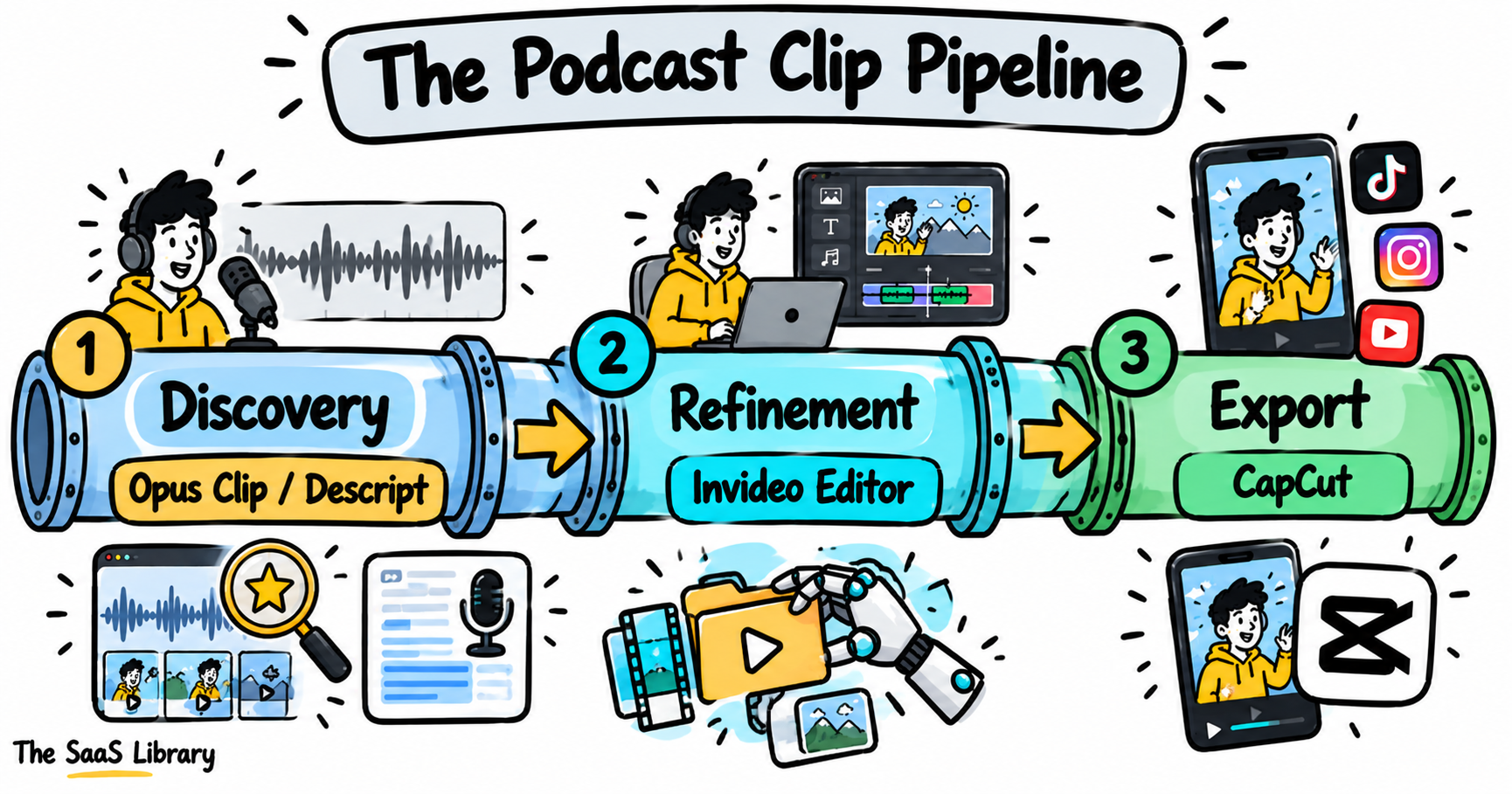
If you’re judging a discovery tool on its editing depth, or a refinement tool on whether it can score an episode, you’re holding it to the wrong stage’s standard — that mismatch is the most common reason a “best AI video editor” pick disappoints in practice.
Frequently Asked Questions
What is the best AI video editor for podcast clips?
Opus Clip is the best AI video editor for automatically finding and scoring the strongest moments in a podcast episode. Invideo Editor is the better pick for refining and assembling a clip once that moment is identified, including multicam sync.
Is Opus Clip free to use?
Opus Clip’s free tier includes 60 processing minutes per month, but exports are watermarked. Paid plans start at $15/month (Starter, 150 minutes) and $29/month (Pro, 300 minutes, or roughly $14.50/month billed annually).
How does Opus Clip’s pricing actually work?
Opus Clip charges one credit per minute of source video imported, regardless of how many clips are generated from it. A 30-minute recording uses 30 credits, so a weekly show’s monthly usage depends on total source-episode length, not on how many clips get published.
Can AI find the best moments in a podcast automatically?
Yes — Opus Clip uses AI virality scoring to analyze a full episode and rank segments by predicted engagement, with speaker detection built specifically for multi-person conversation formats like podcasts.
Is Descript good for editing podcast clips?
Descript is good for editing podcast clips when you already know roughly where the moment is, since its transcript search lets you find and cut it by text instead of scrubbing audio. It’s not built to automatically surface moments the way Opus Clip is.
Do I need more than one tool to turn a podcast into clips?
Most podcasts producing clips regularly pair a discovery tool like Opus Clip or Descript with a refinement or export tool like Invideo Editor or CapCut, since finding a moment and polishing it into a postable clip are genuinely separate jobs.
Conclusion
Use the Podcast Clip Pipeline: match a tool to the specific stage you’re stuck on, rather than expecting one editor to find, refine, and export equally well.
Invideo Editor leads this list for the refinement stage specifically — assembling and syncing a clip once the moment is identified, including multiple camera angles, at no cost. Opus Clip is the most purpose-built tool for the discovery stage, automatically scoring an episode for its strongest moments, though its per-minute credit pricing needs watching for a frequent weekly show. Descript covers that same discovery stage differently, for a host who already knows what they’re looking for, and CapCut handles fast captioning and export once a clip is already chosen. Most podcasts producing clips regularly end up pairing a discovery tool with a refinement tool rather than expecting one to do both jobs equally well.