Most “best AI video editor” lists for YouTube are written by the tools themselves, ranking their own product first.
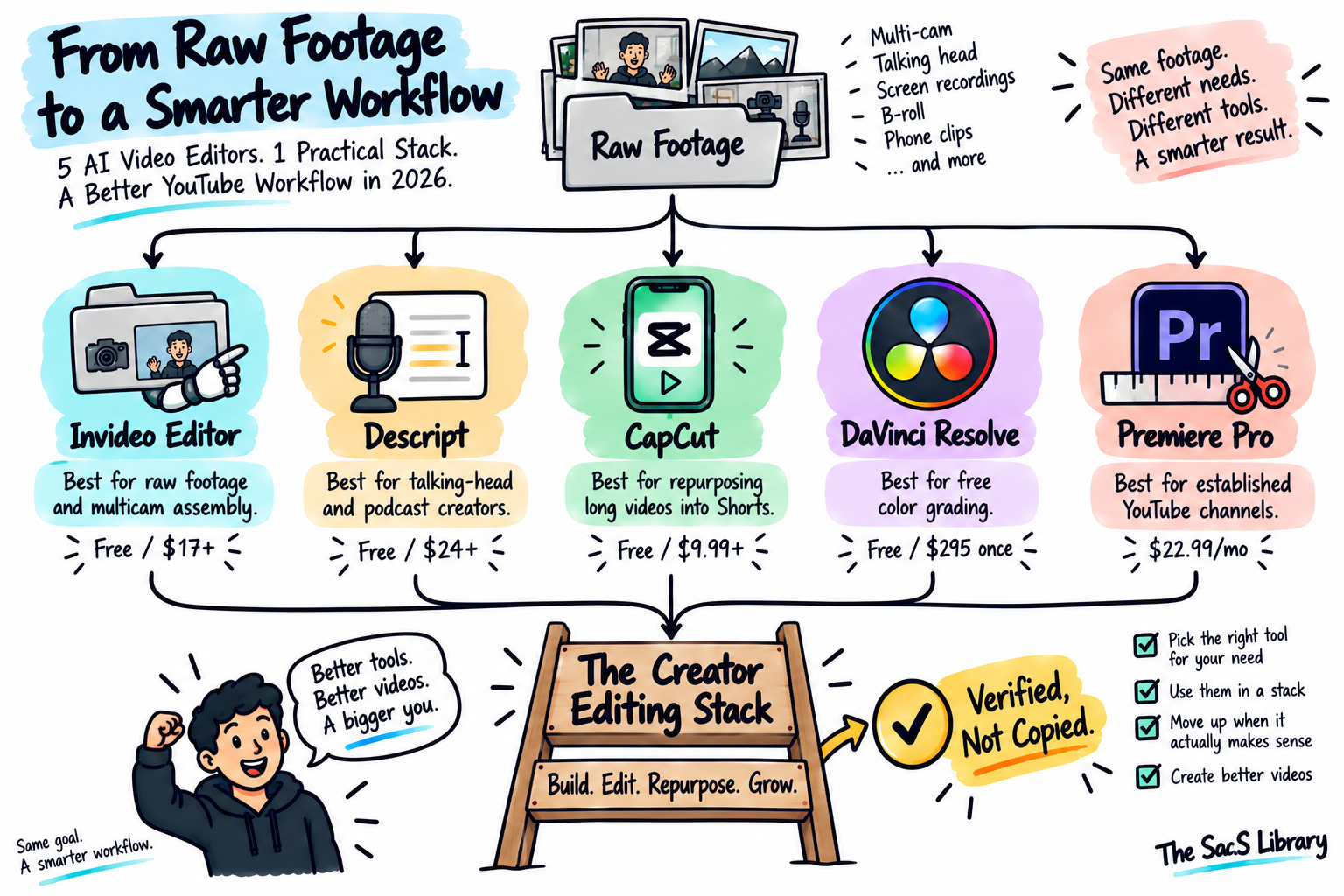
The best AI video editor for YouTube creators in 2026 is Invideo Editor for raw or multicam footage, since its manual timeline is free and its agents handle first-pass assembly. Descript is the better pick for single talking-head or podcast recordings. Neither replaces DaVinci Resolve for color, or Premiere Pro for an established production team.
How Has AI Actually Changed Video Editing for YouTube Creators?
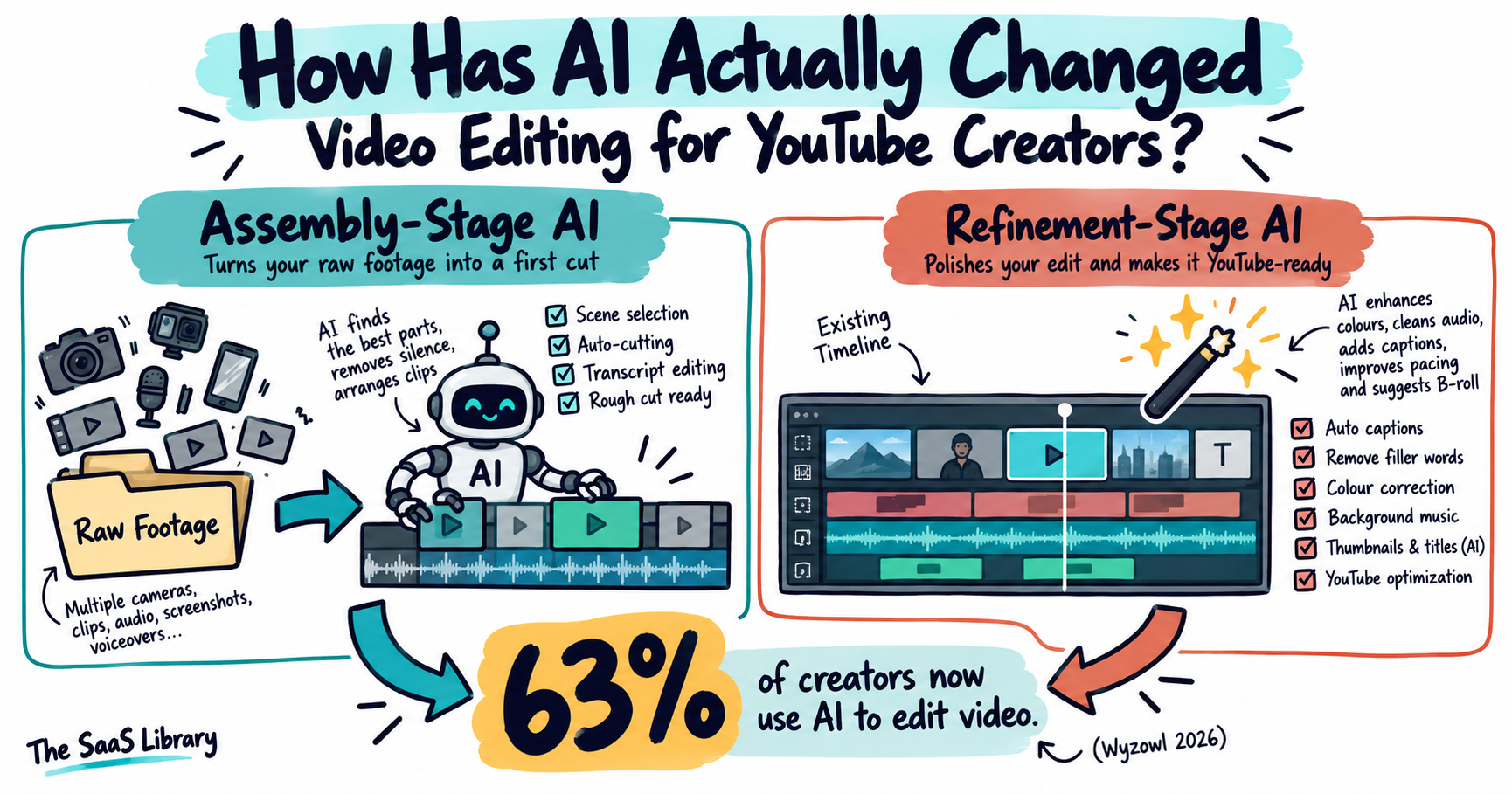
AI has changed video editing for YouTube creators by automating the slowest, least creative part of the job — reviewing raw footage and building a first cut — rather than replacing editorial judgment itself.
That shift is why adoption jumped so sharply this year: 63% of video creators now use AI tools somewhere in their creation or editing process, up 12 points from 51% just one year earlier, the fastest year-over-year jump Wyzowl’s survey has recorded in over a decade of tracking it.
That adoption curve is exactly why the roundups pushing their own tool as #1 have multiplied this year — and why checking each claim independently matters more than it did in 2025.
Two distinct categories have formed inside that adoption curve. The first is assembly-stage AI — tools like Invideo Editor, which assembles raw and multicam footage from scratch.
The second is refinement-stage AI — tools like Gling, which works inside an existing Premiere, DaVinci, or Final Cut project to strip out silences, filler words, and bad takes automatically. Your actual bottleneck determines which category is worth paying for; most existing roundups don’t make that distinction.
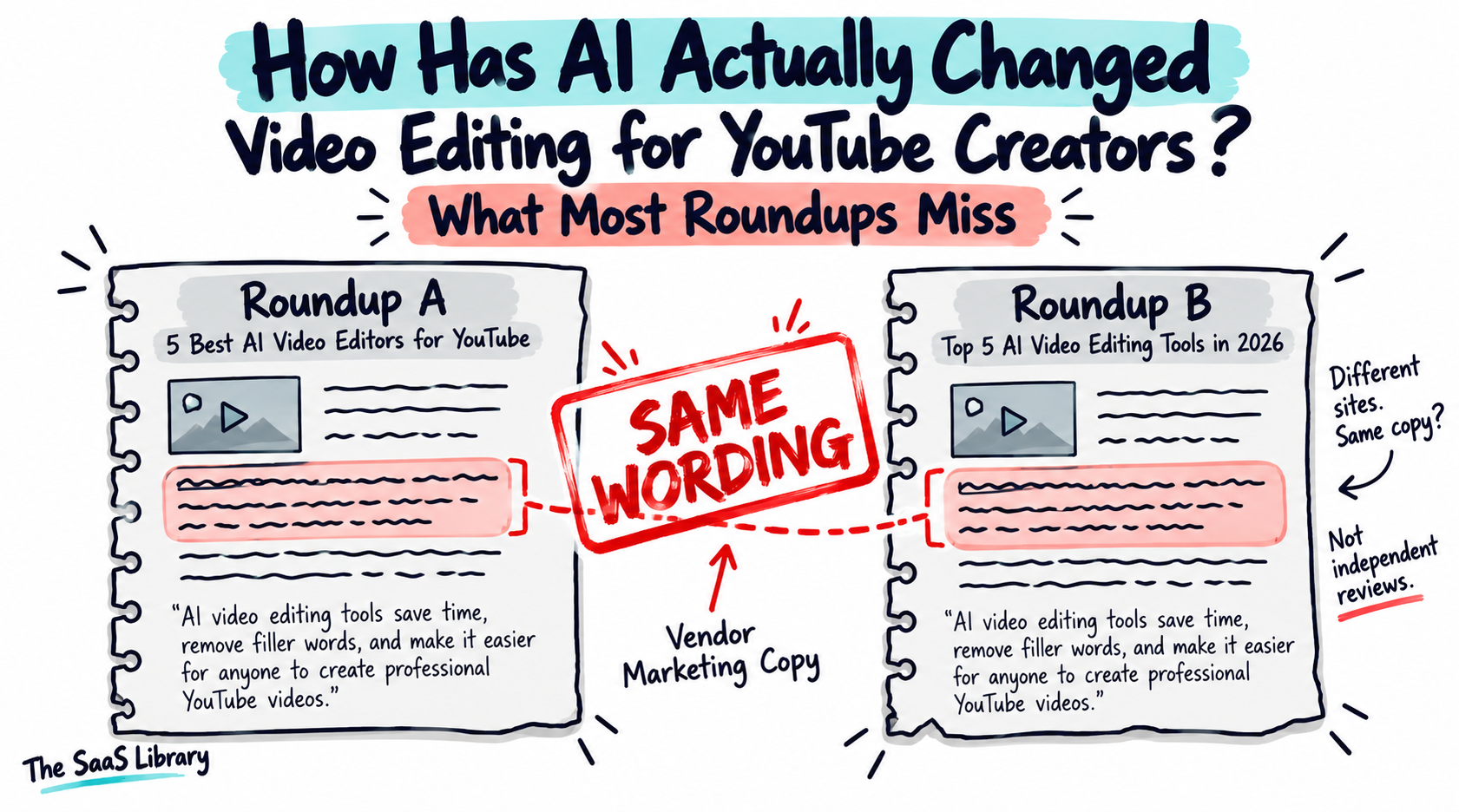
Several existing “best AI video editor for YouTube” articles use phrasing nearly identical to Invideo’s own marketing copy and FAQ pages, presented as independent testing. That’s worth knowing before trusting any single roundup’s #1 pick, including this one — which is why every price and claim here is checked against the vendor’s own page, not against another article.
If you can’t tell which category your channel’s bottleneck falls into, you’ll end up paying for the wrong kind of AI — which is exactly what the rest of this comparison is built to prevent.
Which AI Video Editors Did We Actually Compare?
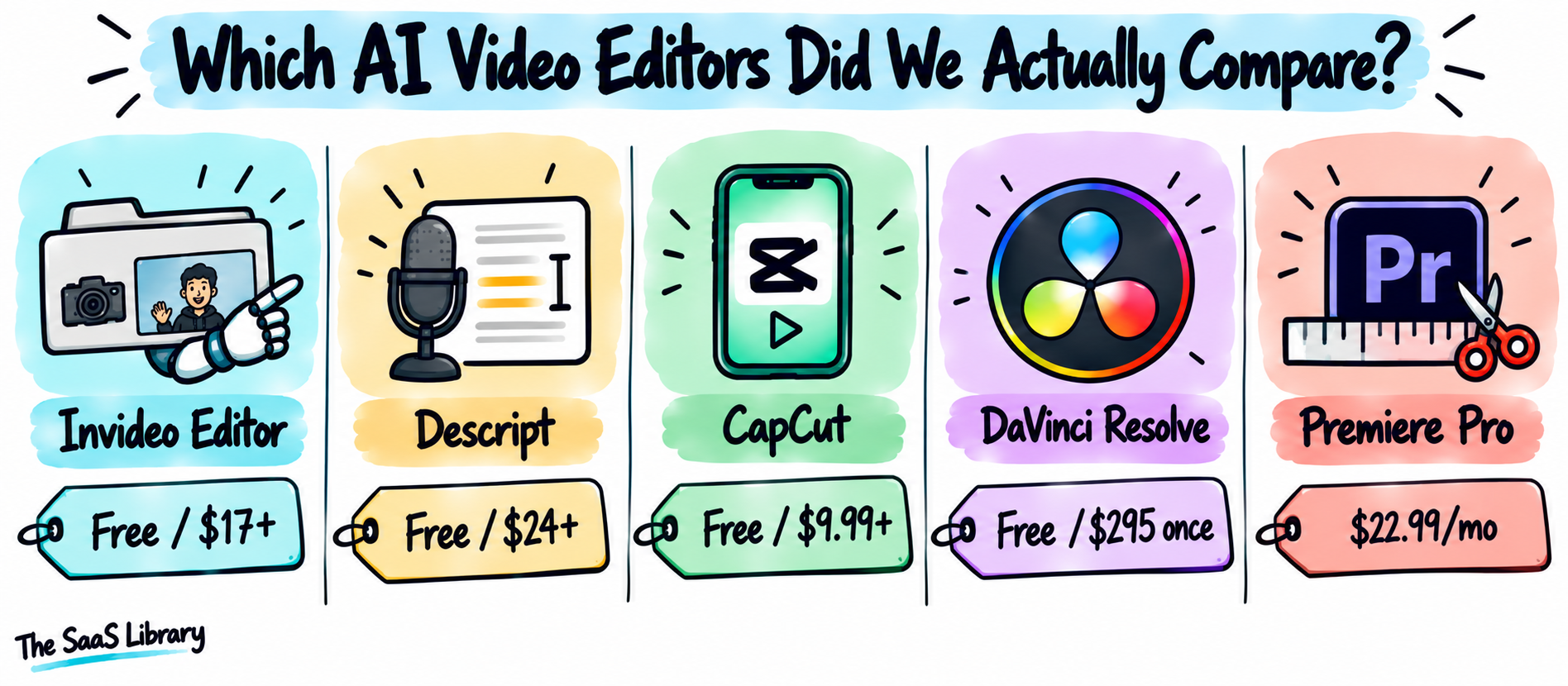
We compared five AI video editors for YouTube creators against their current, live pricing pages, because several existing roundups on this exact topic — including ones from CapCut’s, Descript’s, and Invideo’s own marketing teams — quote prices that had already changed by the time we checked.
| Tool | Category | Best For | Starting Price (verified) |
|---|---|---|---|
| Invideo Editor | Assembly-stage AI NLE | Raw/multicam footage assembly | Timeline free; agents from $17–20/mo |
| Descript | Transcript-based editor | Talking-head, podcast | Free; Hobbyist $24/mo ($16 annual) |
| CapCut | Mobile-first short-form editor | Shorts repurposing | Free; Standard $9.99/mo; Pro $19.99/mo |
| DaVinci Resolve | Professional color/NLE suite | Free professional color grading | Free; Studio $295 one-time |
| Adobe Premiere Pro | Industry-standard NLE | Established production teams | $22.99/mo (annual, single app) |
If you’re only going to check one thing from this list yourself, check whichever row addresses your actual bottleneck — not the one ranked #1 everywhere else.
Want to see how Invideo Editor’s agents handle multicam sync specifically?
Read the full breakdown →For a look at how this same “verify against the live page, not the last roundup” standard applies across other SaaS categories, see Best Automation Tools for Businesses.
Is Invideo Editor the Best Choice for Raw-Footage and Multicam Assembly?
Invideo Editor is the best choice for raw-footage and multicam assembly because its AI agents log every take, sync camera angles by audio, and build a first-draft cut on a real multitrack timeline — before a human editor opens the project.
Invideo Editor launched on September 1, 2026 as what the company calls an “agentic video editor”: a browser-based NLE where the manual timeline is free for everyone, and AI agents take on defined editing jobs only when assigned. Confirmed directly on invideo Editor’s own product page: creators upload each camera angle to its own folder, tell the agents which one has the best audio, and the agents sync every angle as a frame-matched layer automatically.
Pricing, precisely: the manual timeline — cutting, grading, mixing, exporting — is free with no watermark. Assigning work to the agents draws from invideo’s shared credit plans, starting at $20/month billed monthly, or an effective $17/month if billed annually. This is the same pricing structure used across invideo’s product line, not a separate Editor-only price sheet.
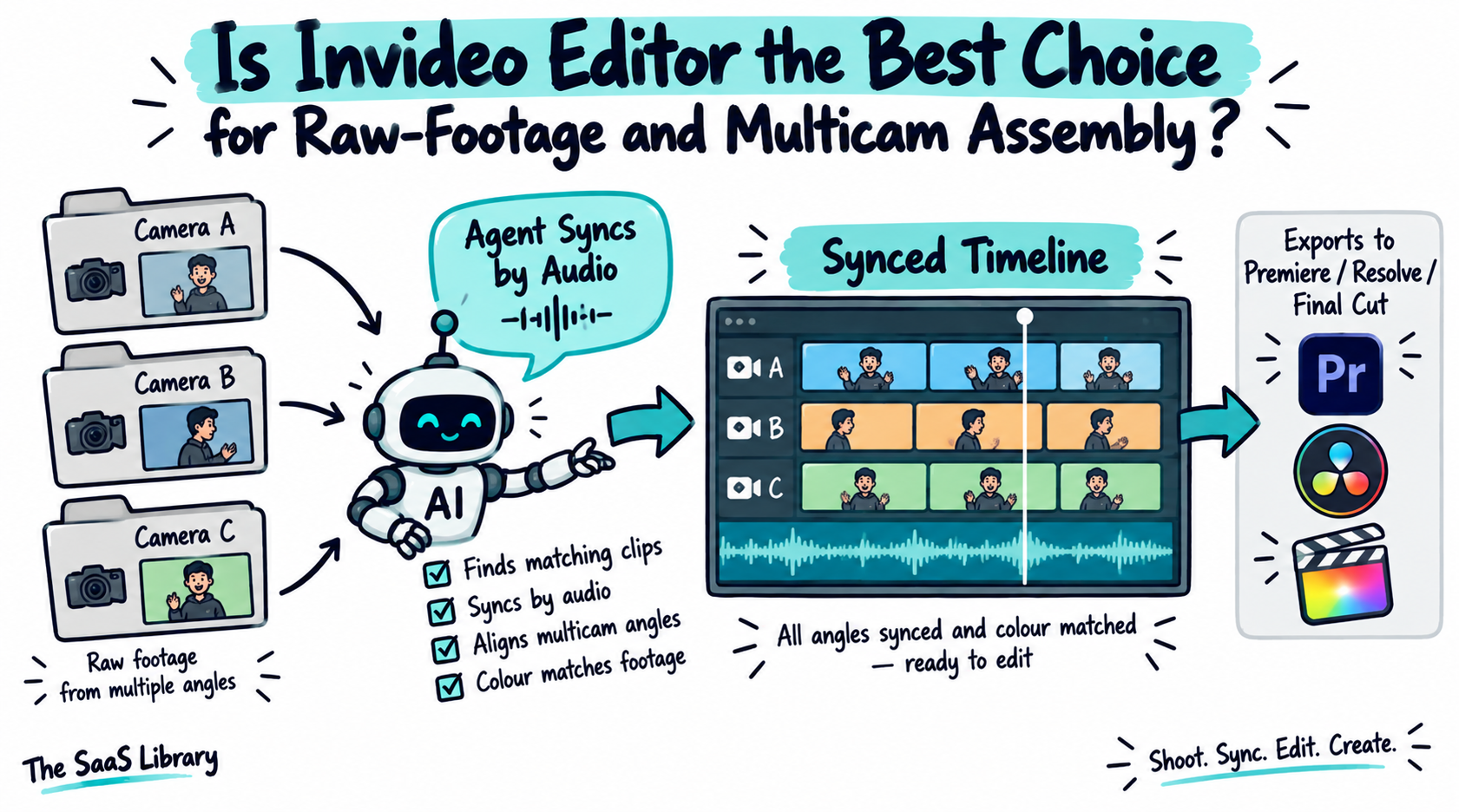
If you’re sitting on hours of unsorted raw footage or multiple camera angles from an interview shoot, this collapses what used to be a full day of logging and syncing into a briefing conversation with an agent.
Invideo Editor also exports an editable project — with cuts and layers intact — directly into Premiere Pro, Final Cut Pro, or DaVinci Resolve, confirmed via OpenTimelineIO support on the same page. That matters for a channel that wants AI to handle the rough cut but finish color and sound in a tool they already know.
- Pros: free manual timeline with no watermark; genuine multicam sync and take-selection via agents; exports as an editable project to three major professional NLEs.
- Cons: agent work runs on a shared credit system, not a flat Editor-specific fee, so cost scales with how much you delegate; it’s a newer product (launched September 2026), so long-term reliability data is limited.
Best for: creators and small teams recording raw or multicam footage — interviews, podcasts filmed on video, vlogs with multiple angles — who want the tedious first pass handled before they sit down to edit.
Related reading: What Is the Difference Between an AI Agent and a Chatbot?
Is Descript the Best AI Video Editor for Talking-Head and Podcast Creators?
Descript is the best AI video editor for talking-head and podcast creators because it replaces timeline scrubbing with transcript editing: delete a sentence from the text, and Descript removes the matching audio and video automatically.
Descript’s current pricing, confirmed on its own pricing page: Free (1 hour of transcription/month, 720p exports with a watermark), Hobbyist at $24/month ($16/month billed annually), Creator at $35/month ($24/month annually), and Business at $65/month ($50/month annually). This is meaningfully higher than the “$12–24/month” figure that shows up in several older roundups on this exact topic — those numbers are stale.
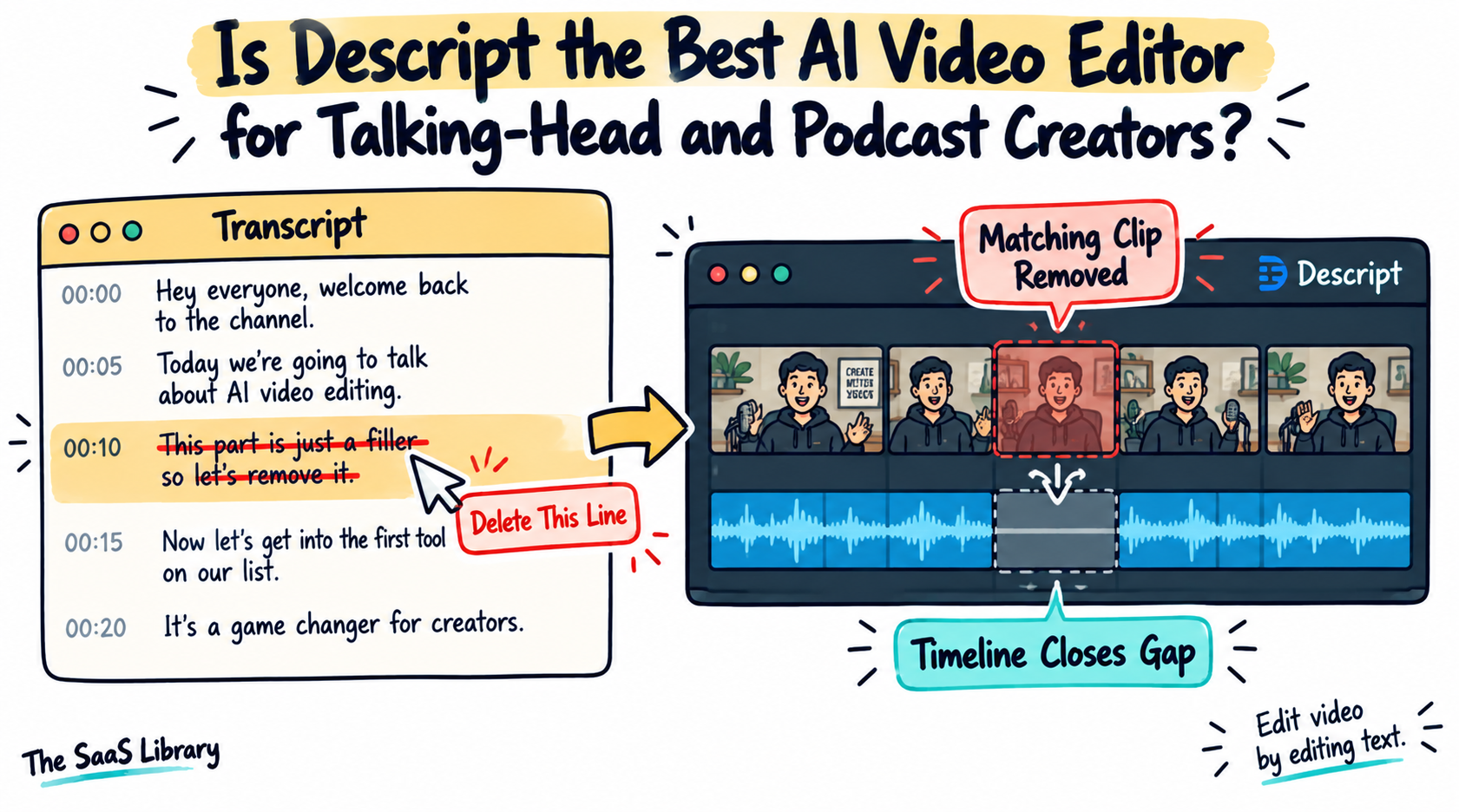
Descript’s core features for a YouTube workflow: filler-word removal, Studio Sound audio cleanup, and Overdub for fixing a flubbed line without a re-record. All three exist specifically to remove repetitive cleanup work from a solo creator’s editing session, not to replace creative judgment.
If your channel is one person talking to a camera or a mic — interviews, tutorials, podcasts recorded on video — editing by cutting text is measurably faster than scrubbing a timeline, because you’re reading for content, not hunting for a waveform.
- Pros: transcript-based editing is genuinely faster for dialogue-heavy content; Studio Sound and filler-word removal solve real, repetitive problems; free tier is usable enough to test the workflow before paying.
- Cons: it edits one existing recording rather than assembling multiple separate takes into a structured narrative the way Invideo Editor’s agents do; the free tier’s 1-hour transcription cap is tight for a weekly podcast.
Best for: solo creators, interview-format channels, and podcasters who record long dialogue and want to cut it by editing text, not a timeline.
Is CapCut Still the Fastest Way to Turn Long-Form Videos Into Shorts?
CapCut is still one of the fastest ways to turn long-form video into Shorts, but it’s a mobile-first tool that was never built for the long-form edit itself.
CapCut’s current pricing, confirmed on its own pricing page: Free (watermark-free exports, basic templates), Standard at $9.99/month, and Pro at $19.99/month ($179.99/year) — plus a Team tier at custom pricing for agencies.
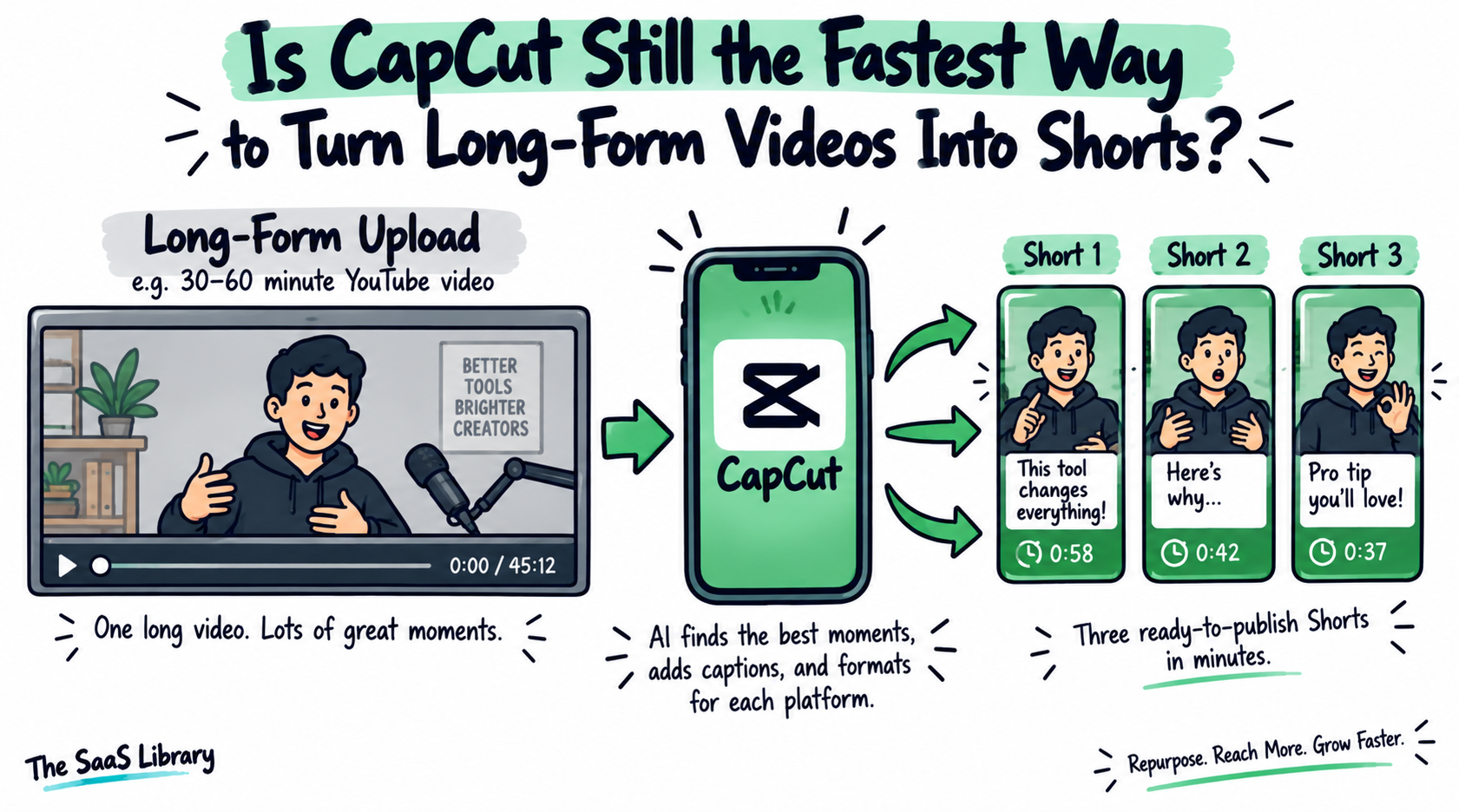
If your workflow is “publish a long video, then cut three Shorts from it,” CapCut’s speed and built-in vertical templates make that specific job fast — without a separate repurposing tool.
- Pros: genuinely fast Shorts workflow with trending templates; free tier still exports without a watermark; cross-platform (mobile, desktop, web).
- Cons: built mobile-first, so it’s a repurposing layer rather than a primary long-form editor; AI credits stay limited even on the Pro tier.
Best for: any channel — regardless of what else is in its stack — that needs to repurpose an existing long-form upload into Shorts quickly.
Invideo Editor and Descript solve assembly and talking-head editing; CapCut solves repurposing. What’s left is color and full production control.
Does DaVinci Resolve Still Win on Color Grading for Free in 2026?
DaVinci Resolve still wins on color grading for free in 2026, because Blackmagic Design’s free tier includes the same node-based color suite, Fairlight audio, and Fusion VFX environment used in professional film and TV post-production — with no watermark and no time limit.
DaVinci Resolve’s pricing hasn’t meaningfully changed: the core editor is free, and Studio — which adds the Neural Engine’s AI tools, 8K support, and noise reduction — is a one-time $295 purchase, confirmed directly on Blackmagic’s own pricing page. Notably, Blackmagic’s own CEO Grant Petty has publicly acknowledged that future major Studio updates could eventually carry a charge, though every update through the current release has stayed free.
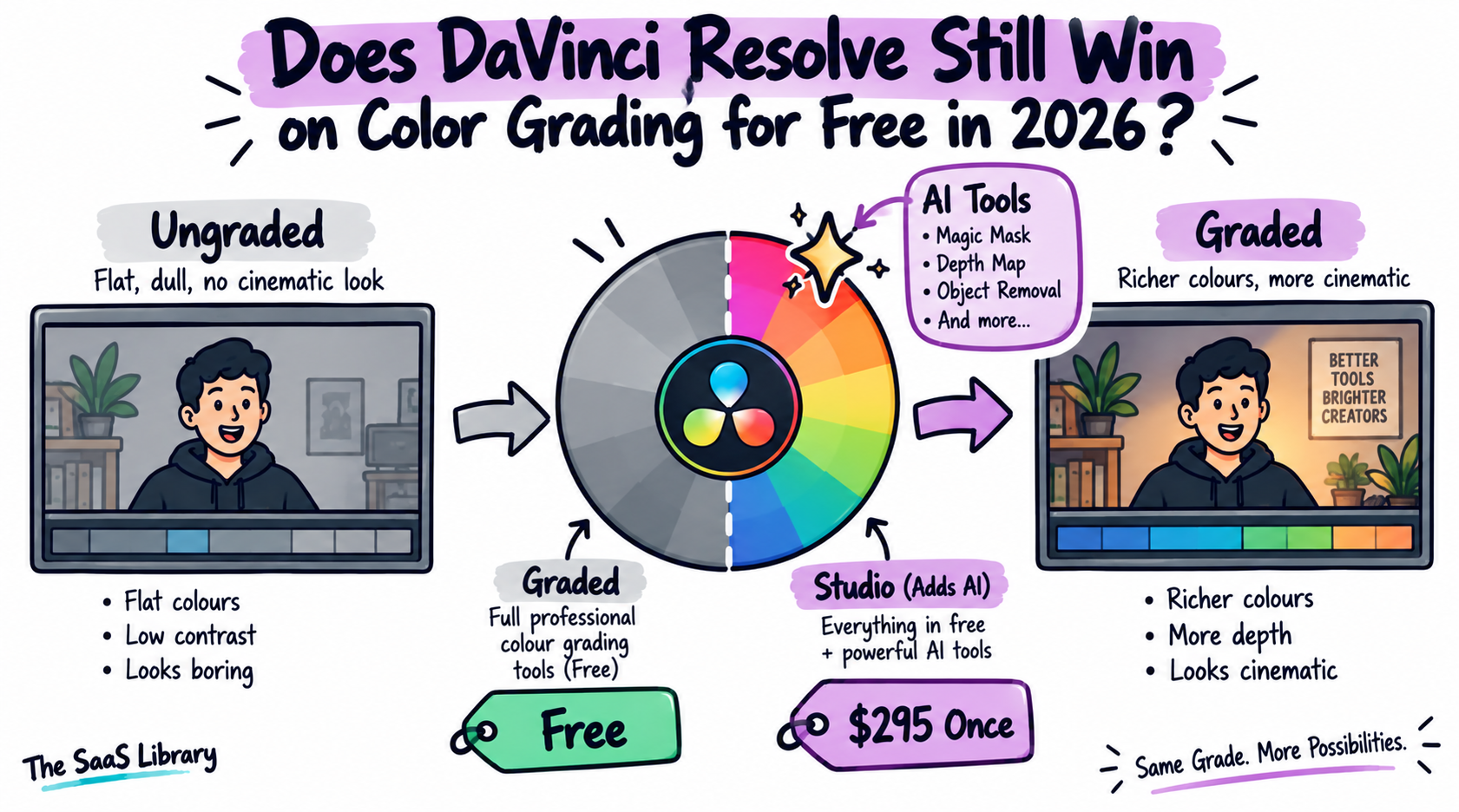
If your channel’s visual identity depends on consistent color, that’s real money saved every month — DaVinci gets you there without a subscription.
- Pros: genuinely professional color tools at no cost; Fusion (VFX) and Fairlight (audio) included even on the free tier; one-time Studio purchase, not a subscription.
- Cons: steeper learning curve than a browser-based or AI-first editor; not built for fast, agent-assisted first-cut assembly the way Invideo Editor is.
Best for: channels that have already cut their video elsewhere and want a free, professional-grade finishing and color-grading step — or anyone who wants one tool that never requires a subscription.
Is Adobe Premiere Pro Still Worth It for Established YouTube Channels?
Adobe Premiere Pro is still worth it for established YouTube channels with an in-house editor or existing Adobe workflow, because its frame-accurate manual control and Creative Cloud integration remain unmatched for teams that already know the tool.
Premiere Pro’s Single App plan costs $22.99/month, billed monthly on an annual plan — confirmed directly on Adobe’s own pricing page. This figure has held steady throughout 2026.
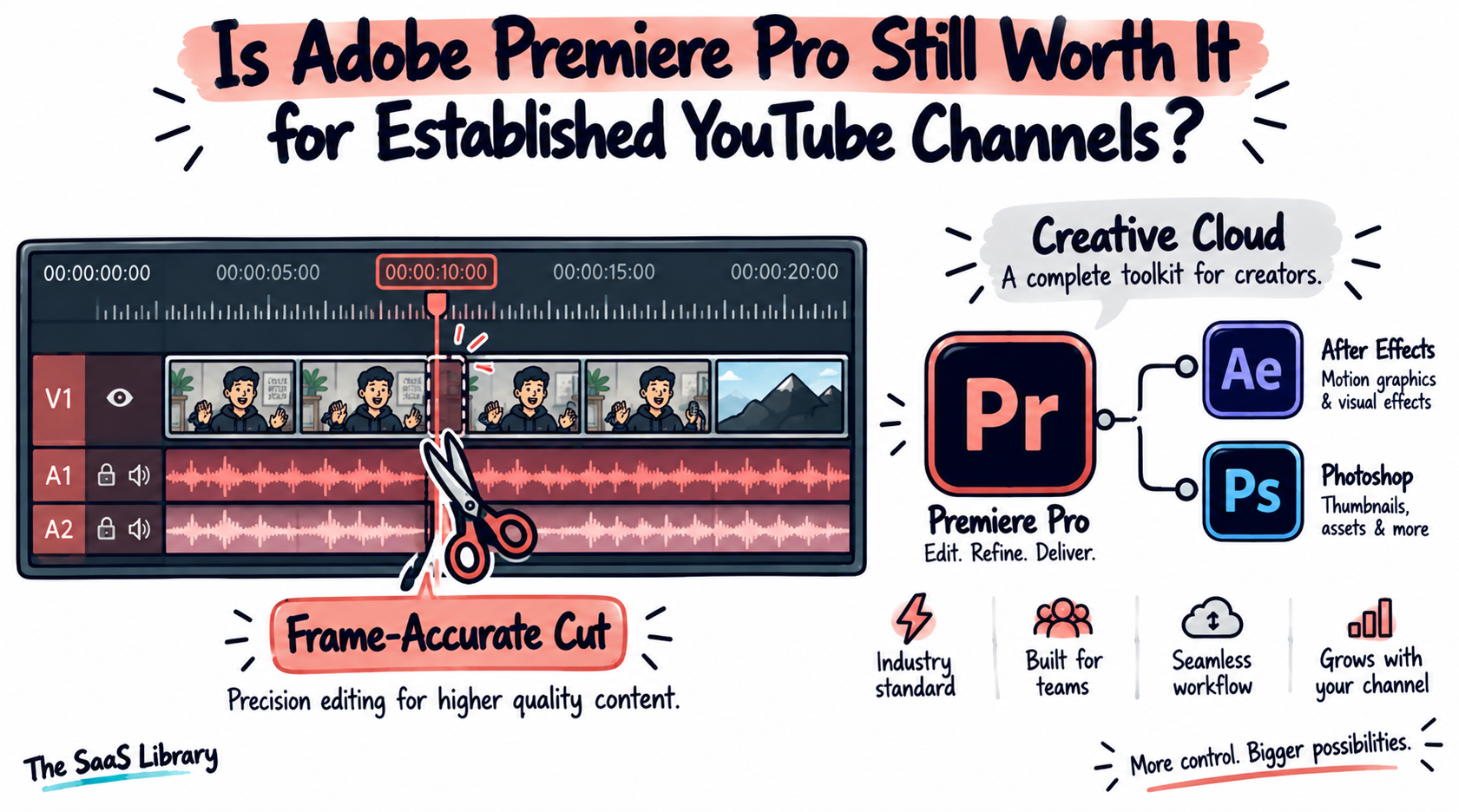
If you already have an editor or an Adobe workflow, switching for speed alone probably isn’t worth retraining your team — but if you’re a solo creator without either, that’s a real cost to weigh against the AI-first options above.
- Pros: frame-exact manual control; deep integration with After Effects and Photoshop; the closest thing to an industry standard for teams with production budgets.
- Cons: no permanent free tier; steepest learning curve on this list; AI features are gated behind credit allocations rather than included outright.
Best for: established channels with an editing team or existing Creative Cloud subscription, where precision and integration matter more than speed-to-publish.
Which AI Video Editor Is Best for You in 2026?
The best AI video editor for you in 2026 depends on where your actual bottleneck sits: raw footage assembly, talking-head cleanup, Shorts repurposing, color consistency, or an existing production workflow. Match your situation to the row below before you pick anything — not the other way around.
| Your Situation | Best Pick | Why |
|---|---|---|
| Hours of raw or multicam footage, no team | Invideo Editor | Free timeline; agents handle take selection and sync |
| Solo podcast or interview channel | Descript | Edit by cutting text, not scrubbing a timeline |
| Need Shorts from an existing long upload | CapCut | Fastest dedicated repurposing workflow |
| Want a consistent graded look, no subscription | DaVinci Resolve | Professional color tools, fully free |
| Have a trained editor or Adobe workflow already | Adobe Premiere Pro | Precision and integration outweigh the learning curve |
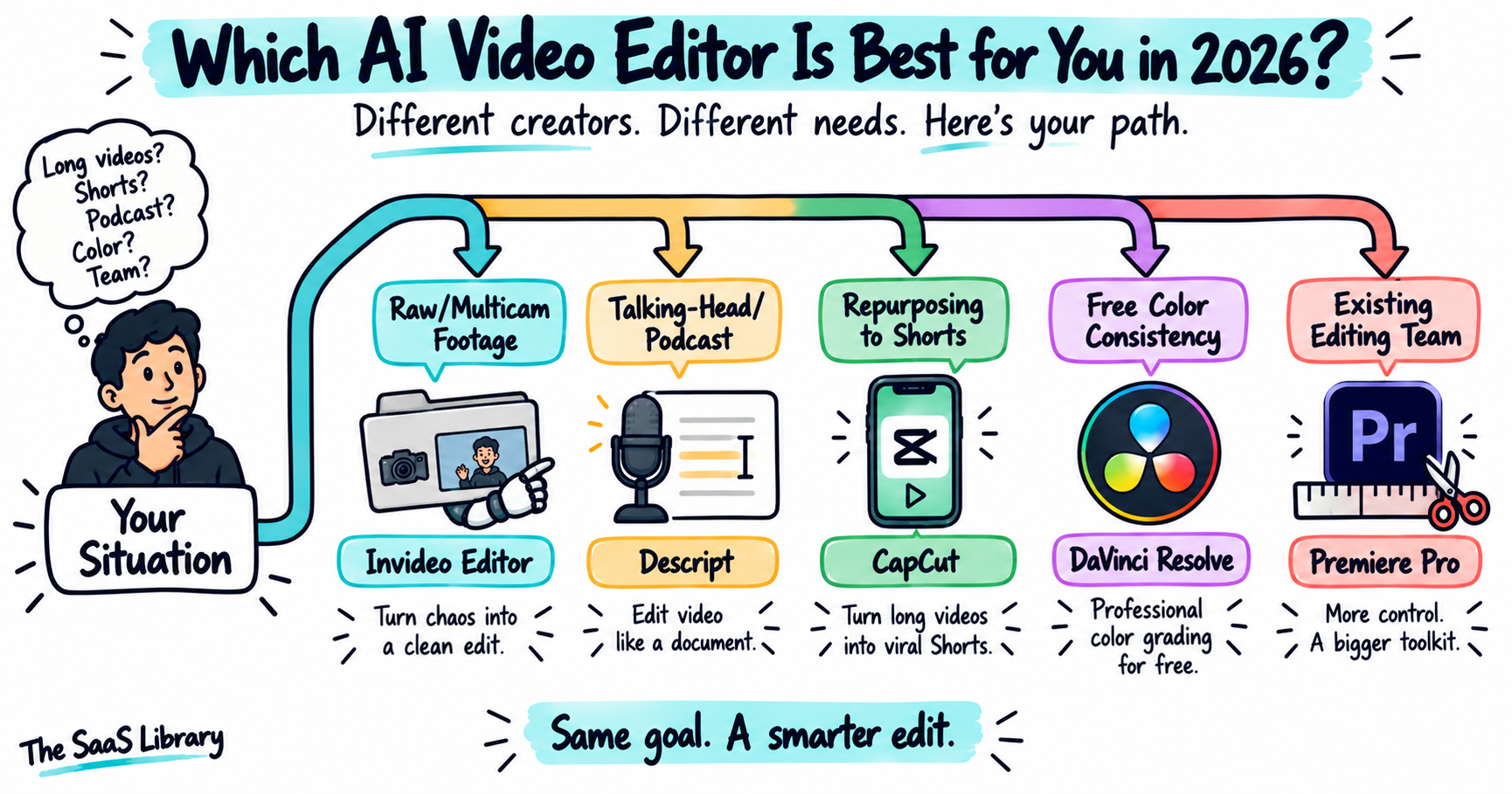
Most growing channels end up using more than one of these together — Invideo Editor or Descript for the first cut, CapCut for Shorts, and DaVinci Resolve for finishing color — rather than expecting one tool to cover every format a channel produces.
For a similar tool-stacking logic applied to marketing workflows, see AI Tools for Marketing Automation in 2026: Ranked by What They Actually Do for ROI.
How Should a YouTube Creator Build Their Editing Stack?
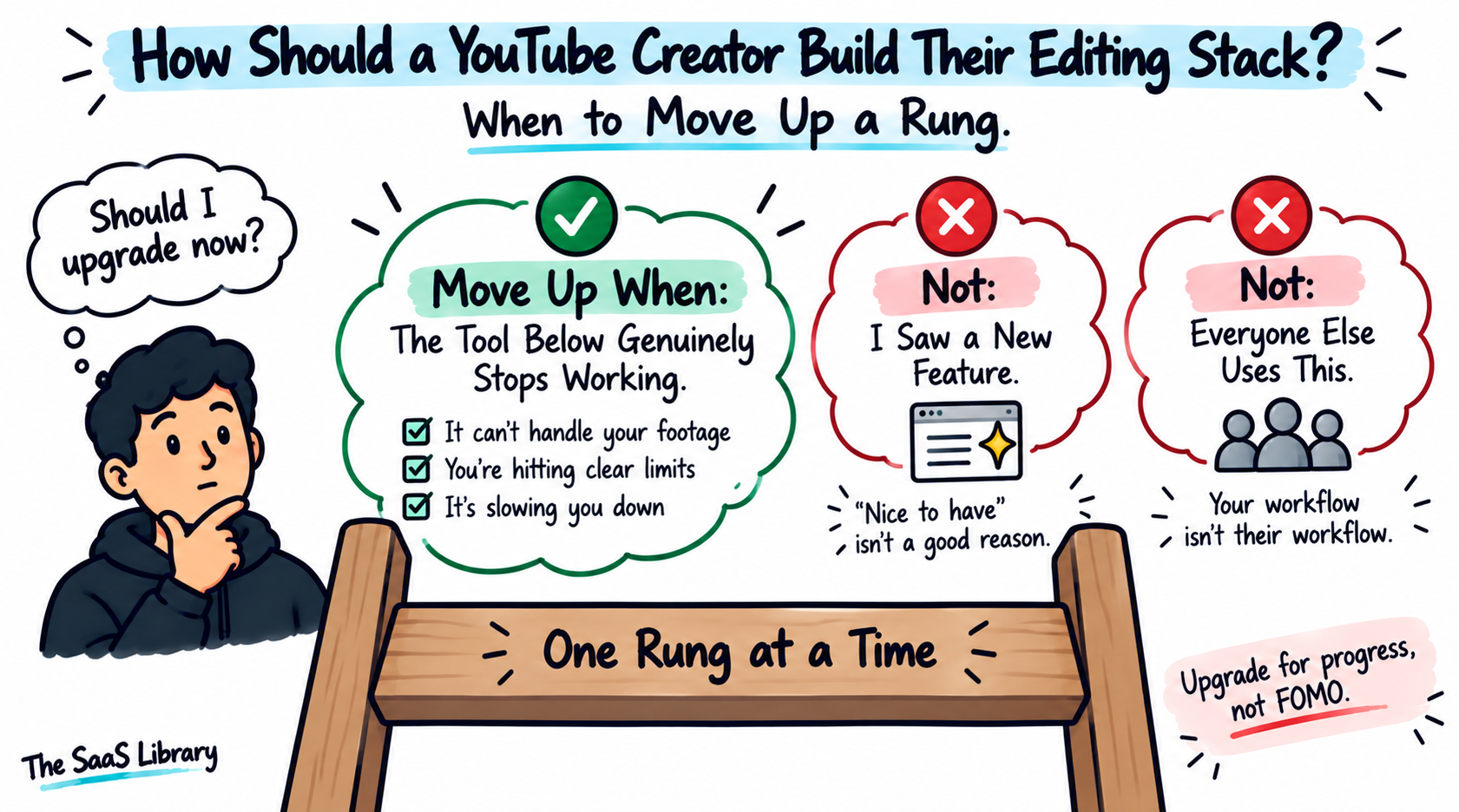
A YouTube creator should build their editing stack one tool at a time, adding each one only once the tool below it has genuinely stopped being enough — a sequence we’re calling The Creator Editing Stack.
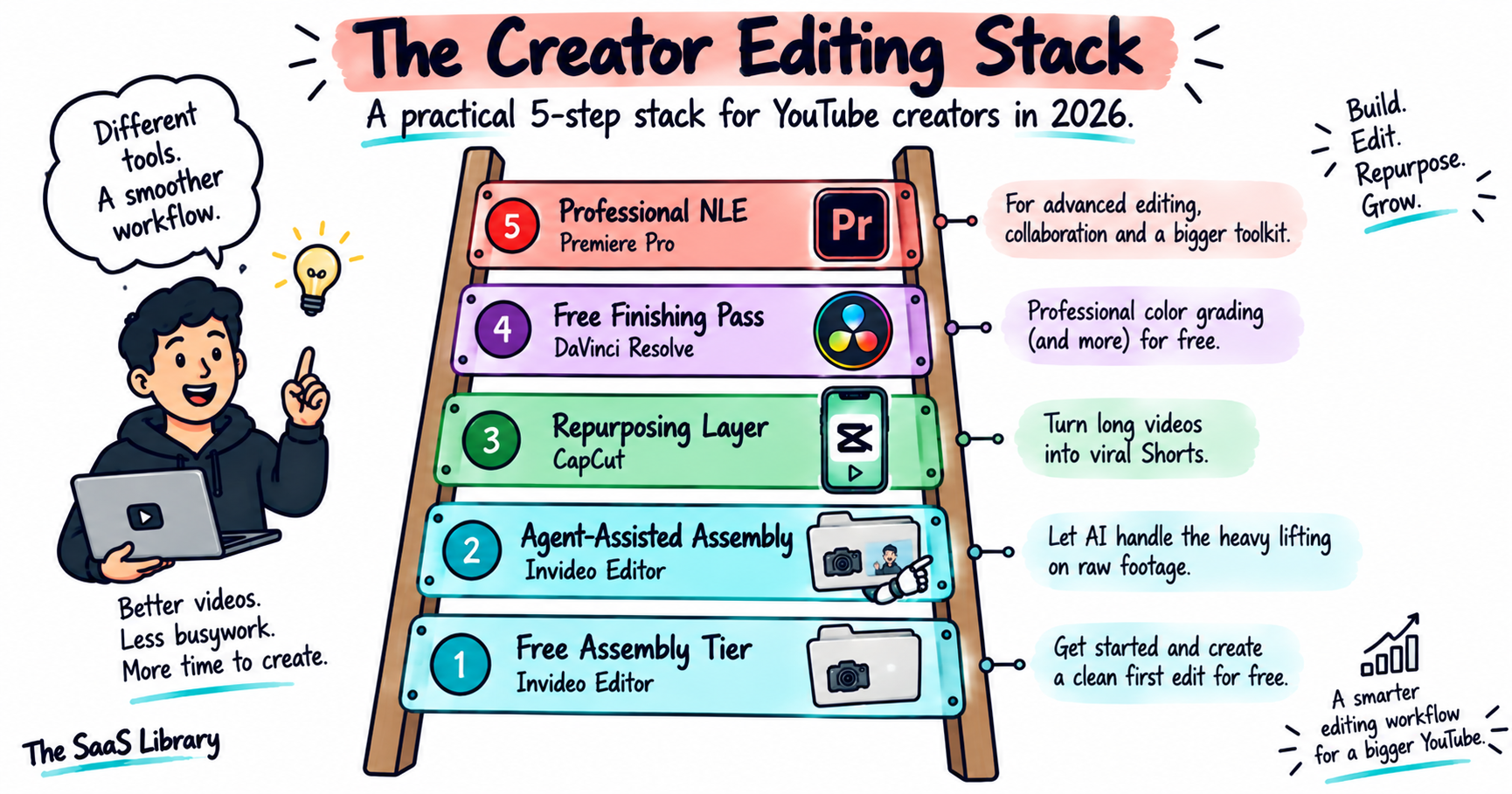
The named-framework rule this article follows is the same rule the Stack demonstrates — don’t add a rung until the one below it has genuinely stopped working. If you’re paying for a tool higher up this stack than your channel currently needs, that’s the first place to cut.
Frequently Asked Questions
What is the best AI video editor for YouTube creators in 2026?
Invideo Editor is the best AI video editor for most YouTube creators in 2026, since its manual timeline is free and its agents handle raw-footage assembly and multicam sync. Descript is the better pick specifically for talking-head or podcast recordings.
Which video editor do most YouTubers use?
Most established, full-time YouTubers still rely on Premiere Pro or Final Cut Pro, while solo creators and channels under 100K subscribers increasingly use browser-based and AI-first tools like Invideo Editor, Descript, and CapCut, since they don’t require a steep learning curve or a subscription to start.
Is there an AI that can edit videos for YouTube automatically?
Yes — Invideo Editor’s agents can select takes, cut silences and filler words, sync multicam footage, and build a first-draft cut automatically, on direction given in plain language.
Is CapCut reliable for editing long YouTube videos?
CapCut remains reliable for short-form and moderate-length edits, but it was built mobile-first as a repurposing tool rather than a primary long-form editor.
Is Descript free?
Descript is free on a limited tier — 1 hour of transcription per month and 720p exports with a watermark. Paid plans start at $24/month ($16/month billed annually) for the Hobbyist tier, which removes the watermark and increases transcription hours.
Is DaVinci Resolve still free in 2026?
Yes — DaVinci Resolve’s core editor remains fully free with no watermark or time limit. Only the Studio tier, which adds AI tools like the Neural Engine and 8K support, costs a one-time $295.
How much does Adobe Premiere Pro cost per month?
Adobe Premiere Pro’s Single App plan costs $22.99/month, billed monthly on an annual commitment, confirmed directly on Adobe’s pricing page.
What’s the best free video editor for YouTube?
DaVinci Resolve is the most capable completely free video editor for YouTube, offering professional color grading, audio, and VFX tools with no watermark or time limit.
What’s the best AI tool for turning long YouTube videos into Shorts?
CapCut remains the fastest dedicated tool for turning an existing long-form YouTube video into Shorts, with built-in vertical templates and one-click reformatting.
Which AI video editor is best for editing podcast or interview footage?
Descript is the best AI video editor for podcast or interview footage, since it lets you edit by cutting text from a transcript instead of scrubbing a timeline, and includes filler-word removal and audio cleanup built for dialogue-heavy content.
Conclusion
Follow the Creator Editing Stack: exhaust the free tier you have before paying for the one you don’t need yet.
Invideo Editor is the strongest AI video editor for most YouTube creators in 2026 — its free timeline and agent-assisted assembly solve the actual bottleneck, raw footage, that most existing roundups on this topic never address independently. Descript remains the better specialist for talking-head and podcast channels specifically. CapCut and DaVinci Resolve each solve a narrower, real problem — fast Shorts and free color consistency — and most growing channels end up combining several of these rather than expecting one tool to do everything.
See the full breakdown of 15 Best AI Tools for Business Automation in 2026 for how this same tool-stacking logic applies beyond video editing.